
SideProjectors Lists You Free at DR 71. The Homepage Field Is Your Link.
SideProjectors is one of the directories Submitator files its customers to, so the advice below comes from the side that does the filing. Every figure and quote was read on sideprojectors.com on 23 October 2026.
SideProjectors is a marketplace for buying and selling side projects, built up since 2014 by its own account, and it takes projects nobody is selling too: the showcase route gives a working product its own page in front of the people who browse there. Its help pages put the terms plainly: "Listing is free and there is no commission on a sale. Paid extras such as faster approval are optional."
Its Ahrefs Domain Rating stood at 71 when our DR checker read it on 23 October 2026. SideProjectors sorts its projects by day: the page headed "Side projects submitted on 23 October 2026" holds 94 and the one for 22 October holds 63. All 157 project pages on those two days invite indexing, each under a canonical that names itself.
The form runs to six steps, and the field that matters most for your link is one it leaves optional. Project homepage feeds both links to your site that a visitor sees on your listing, so fill it in. The rest of this guide is about making the page worth the click.
One name to keep apart: SideProjectors is not sideprojects.net, a separate launch site where indie makers post by the day, with its own form and its own guide here.
Project homepage carries no Required tag, and the confirm screen files it under "Following fields are not mandatory, but we strongly recommend you fill them." Fill it anyway: it is where both links to your site on the listing page come from. Of the 157 newest listings, 7 left it empty, and none of those 7 links to its product.
SideProjectors at a glance
| What you get | SideProjectors |
|---|---|
| Price to list | $0, and no commission on a sale |
| Routes | Sell, find a co-founder or showcase |
| Required of your site | Nothing: no badge, no link back |
| Review | Manual; their pages say about 24 hours, 2-3 business days and 2-5 business days |
| Links to your site | Two on the page a visitor sees, no rel; nofollow ugc in the hidden HTML copy |
| Listing page | Indexable, self canonical, dated |
| Paid extras | $20 fast approval, $10 re-submission, $10 a day sponsoring |
| Domain Rating | 71 (Ahrefs) |
| Projects per daily page | 63 to 141, 18 to 23 October 2026 |
| Filed for you by Submitator | Pitch and description written for it, from $29 |
Read from sideprojectors.com with GET requests on 23 October 2026, between 12:20 and 12:45 UTC: the home page, robots.txt, the sitemap index, the daily pages for 18 to 23 October and every project page linked from the two newest of them, 157 in all (94 on the page for 23 October, 63 on the one for 22 October), with listing dates from 17 to 23 October; 59 are for sale and 98 are showcases. Daily counts are the distinct project links on each page: 141, 130, 89, 110, 63 and 94 for 18 to 23 October. The site has no pricing page (/pricing serves the generic app shell, set to noindex). The help pages quoted (submitting, the approval process, what you can list, showcases, ComingUp), the screen shown after a submission and the sponsor page render from the site's public JavaScript, which is where their wording was read; the fast approval and re-submission prices also appear in the rendered markup of every listing page. Form labels, limits and hints are transcribed from screenshots of the signed-in form supplied by Submitator's founder, and they agree with the form's public code, which also gives the nine project types, the 50 and 80 character limits and the list of 629 markets. Every one of the 157 project pages carries a meta robots of "index, follow" and, as served, a canonical naming the page itself. In the HTML as served, 150 of them hold a Website link to the submitted homepage inside a block hidden from view (class "hidden invisible"), and all 150 carry rel="nofollow ugc noopener", as do all 170 external links in those blocks; the other 7, all for sale, have no homepage and no link to the product. Twelve pages, six for sale and six showcases taken at an even stride, were rendered in a headless browser: each shows two links to the homepage, one under the logo and one under Project homepage, with no rel attribute, while the hidden copy stays in the page; the listing page's public code builds both of those links from the homepage field with a target and no rel, one code path for every listing; links typed into a description render as rel="nofollow noopener noreferrer" (3 of the 12 have one) and are plain text in the hidden copy. On 2 of the 12, the page's script swaps the canonical for a slug variant of the same project. Three pages fetched with a Googlebot user agent returned the same markup as a browser fetch. On all 98 showcase pages the meta description is the opening of the description; 22 of the 59 sale pages carry an asking price in the title. Nothing in the six steps asks for a badge or a link back. Their submission help adds "We also ask you to place a For Sale badge on your project's homepage", and the screen shown after submitting offers a badge under "Place a badge and show off!"; the form requires neither. The Domain Rating of 71 is Ahrefs' figure, which submitator.com/domain-rating-checker returned for sideprojectors.com on 23 October 2026. No listing was filed for this write-up and no payment was made. Our founder states that Submitator submits to SideProjectors (23 October 2026) and that we write each directory's descriptions to its own limits and cut images to its format (25 September 2026). Our plans are one-time payments: $29 for 30 directories, $49 for 60, $79 for 100 and $149 for All Directories; a rejected submission adds one more directory to your selection, per our terms.
Four ways in, and the one for a product you keep
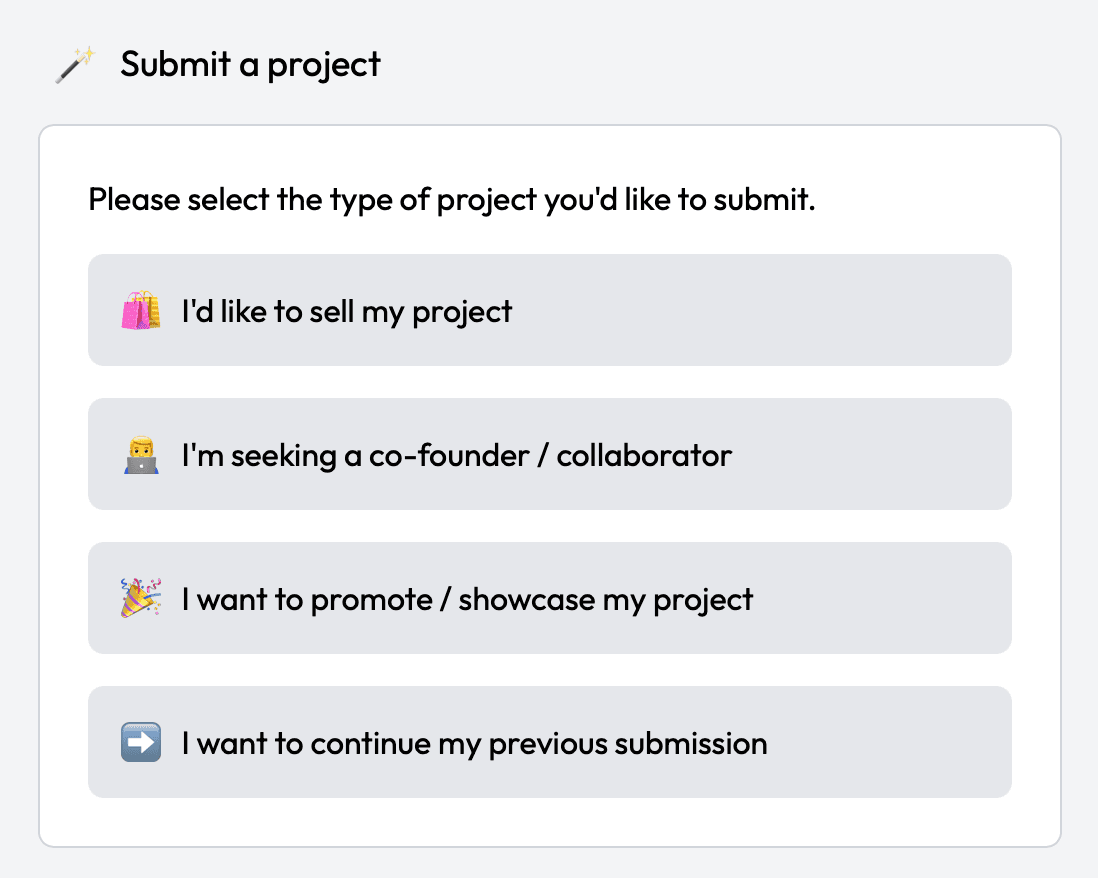
The first screen asks you to choose: "I'd like to sell my project", "I'm seeking a co-founder / collaborator", "I want to promote / showcase my project" or "I want to continue my previous submission". A product you are growing belongs on the third, and their showcase help says how it works: "To showcase your project, simply submit it through our regular submission process and indicate that you want to showcase it rather than sell it."
Showcases are most of what arrives: 98 of the 157 newest listings, against 59 for sale. A showcase page is titled with your name and type, "SaaS side project" for instance, and closes on "This is a showcase project. If you have any questions, you can send a message to the owner." beside a Contact Owner button. Sale pages say "for sale" in the title, and 22 of the 59 add the asking price.
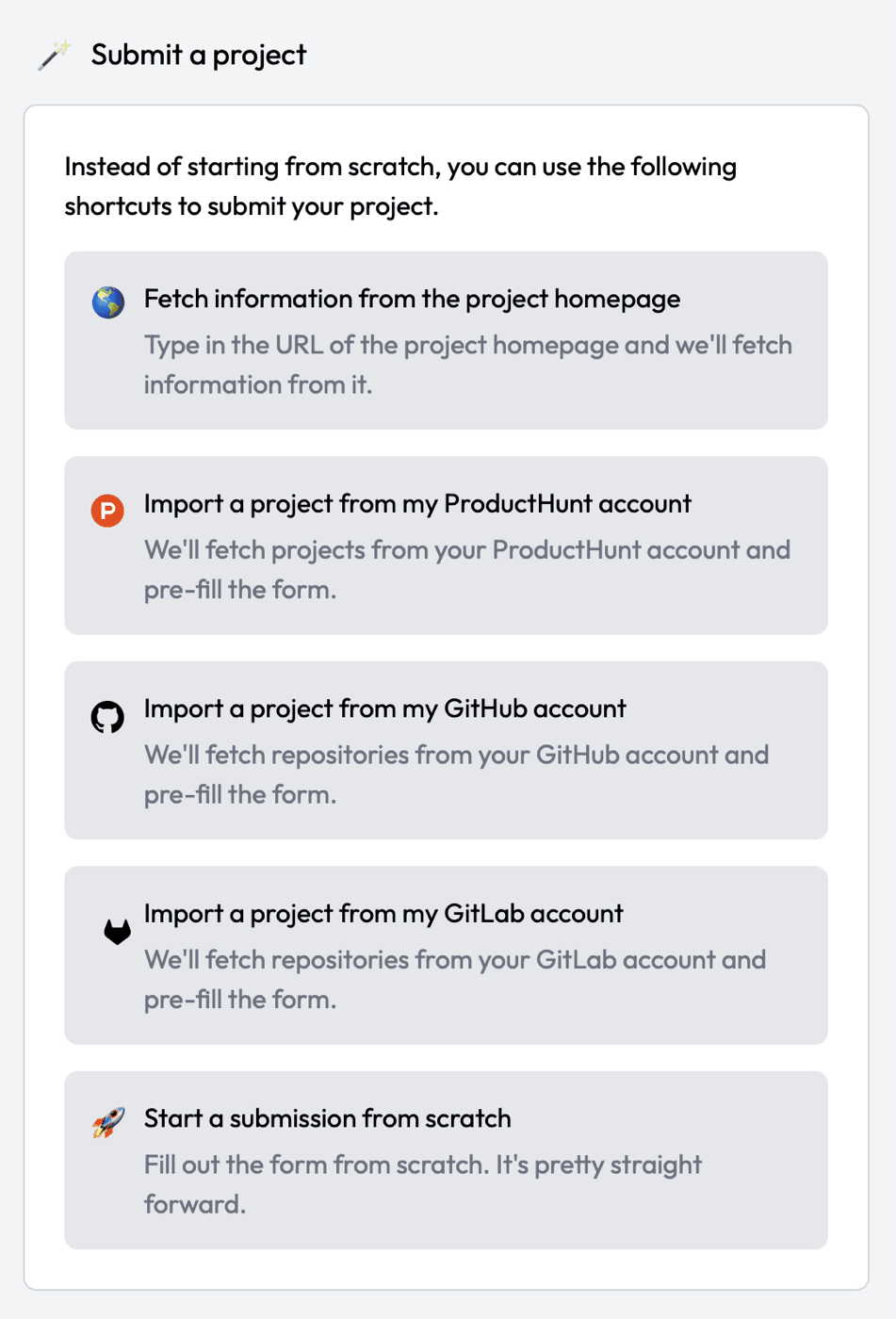
Next come the shortcuts. "Fetch information from the project homepage" reads your site; three more import from your ProductHunt, GitHub or GitLab account; the last starts from scratch. Whichever you take, read every field it fills before moving on. The form saves as you go, and Save & Publish Later under each step keeps a draft that the fourth button on the first screen picks up again.
Six steps, in a sidebar
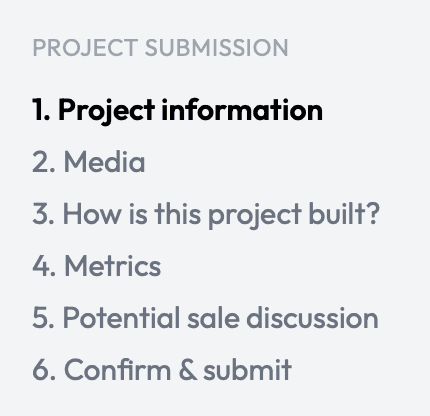
| Step | What it asks for |
|---|---|
| 1. Project information | Type (9 options), name (50 characters), logo (256x256 or more), a one-sentence pitch (80), homepage, description, up to 5 of 629 markets, four social handles |
| 2. Media | Screenshots, plus YouTube or Vimeo links |
| 3. How is this project built? | Six stack lists and a free-text Other, at least one filled in, then notes on users and competitors |
| 4. Metrics | Ranges for monthly visitors, pageviews and downloads, hours a week, two text boxes |
| 5. Potential sale discussion | One box: open to discussing a sale, or not |
| 6. Confirm & submit | What is still missing, a declaration to tick and a ComingUp cross-post switch |
Step 1: who it is for, in 80 characters
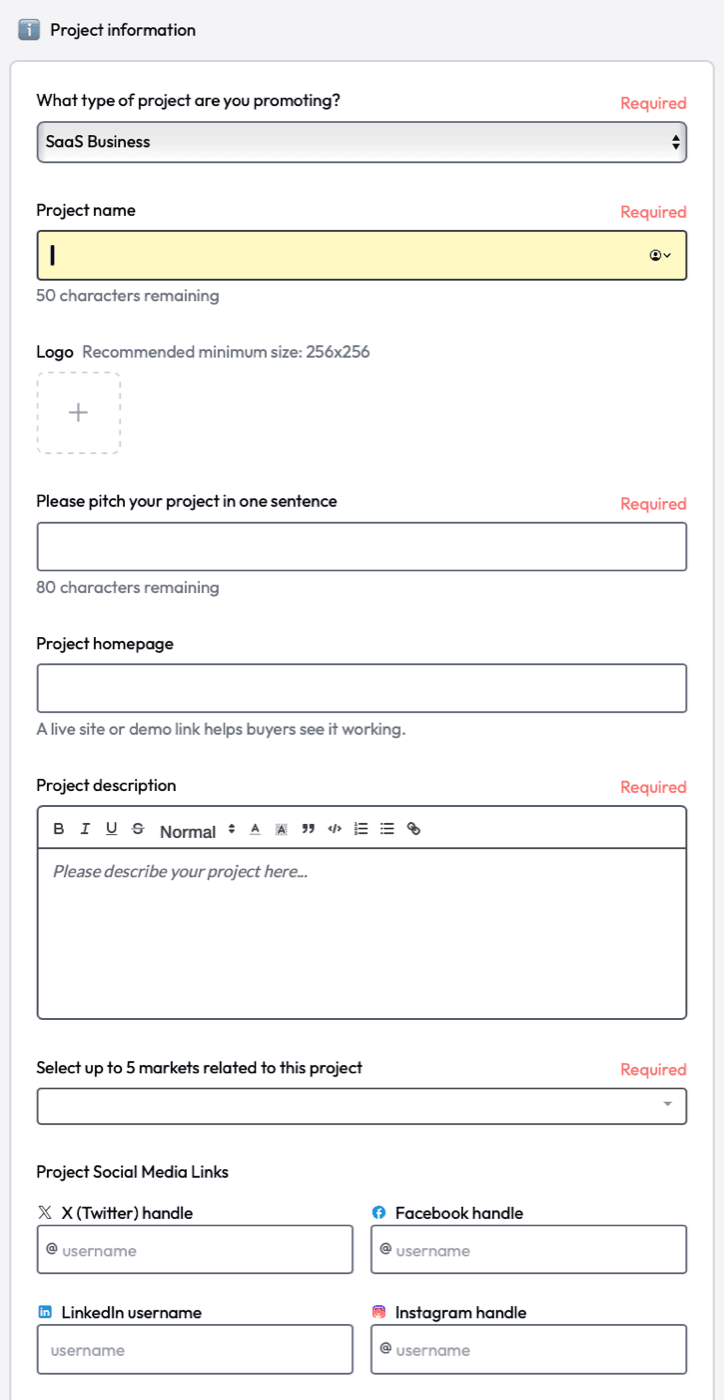
What type of project are you promoting? is required, with nine answers from SaaS Business to Domain Name and Other, and the type shows in your page title. Project name takes 50 characters, and the Logo box recommends at least 256x256.
"Please pitch your project in one sentence" allows 80 characters, and those 80 travel with your name: they sit below it on your listing and beside it on the daily page. Spend them on the problem it solves and who has that problem; the name has already told them what it is called.
Project homepage is the optional one, with the hint "A live site or demo link helps buyers see it working." Enter the full address of the page a SideProjectors visitor should reach. Listings that add a utm tag keep it in the link, so your analytics can tell those visits apart.
Project description is required and comes with a toolbar, link button included. Links typed in there show as nofollow, so leave the link to the homepage field and give the description to the product itself: the problem, the people it serves, the price. Put the point first: on a showcase page the opening lines double as the page's meta description.
"Select up to 5 markets related to this project" is required too, with 629 markets to pick from, and below it sit optional X, Facebook, LinkedIn and Instagram handles.
Steps 2 to 5: pictures, stack, numbers and one box
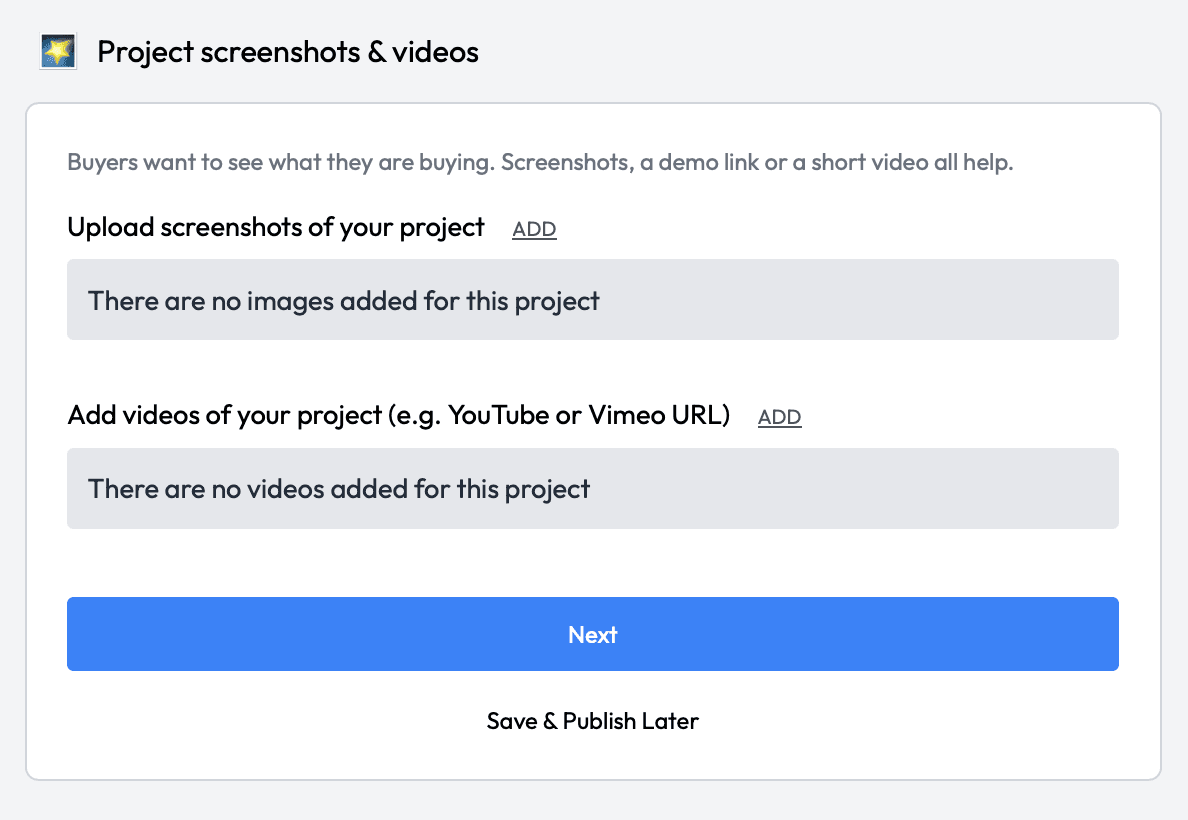
Media marks nothing as required, but their approval guide is plain about it: "Listings with images get approved faster and sell better." Upload the screens that show the product working, and add a YouTube or Vimeo link if you have a demo.
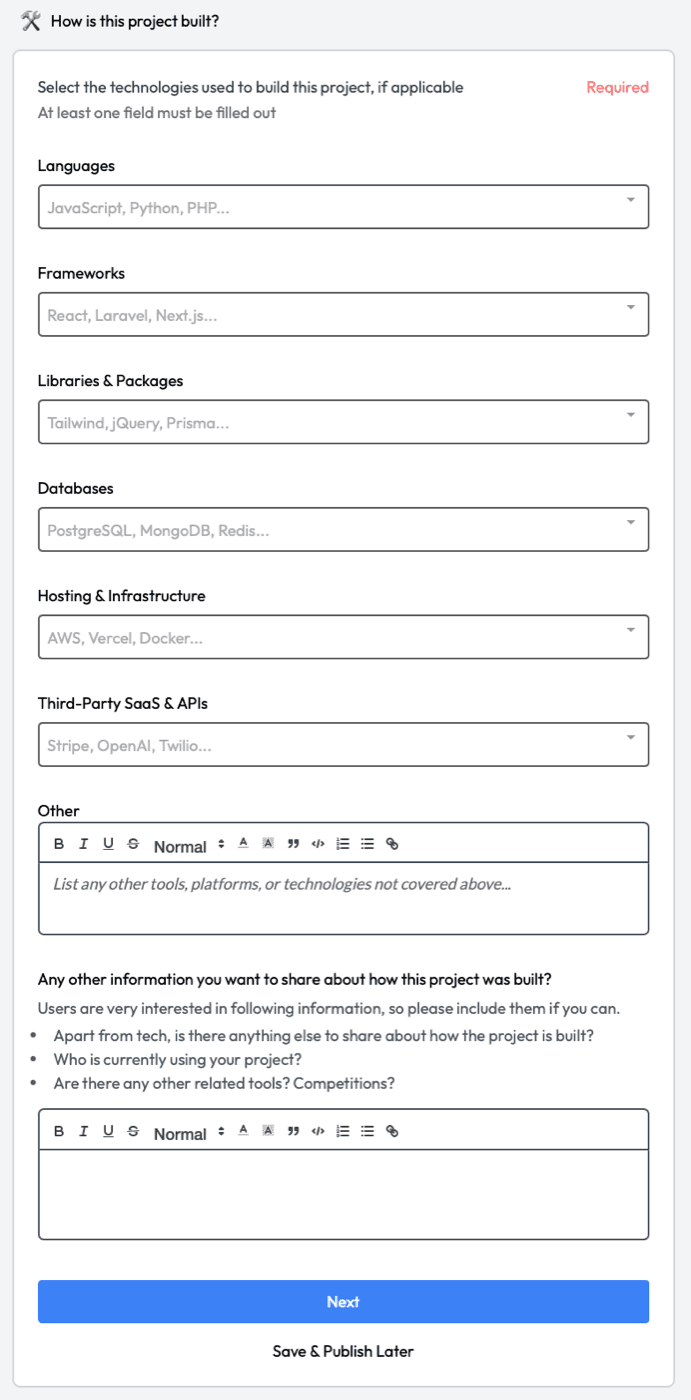
How is this project built? offers six lists (Languages, Frameworks, Libraries & Packages, Databases, Hosting & Infrastructure, Third-Party SaaS & APIs) and a free-text Other, and at least one must be filled in. Your listing prints the result in its own tech stack section. The open box below asks who uses the project and what competes with it, and two lines there tell a visitor more than a list of frameworks.
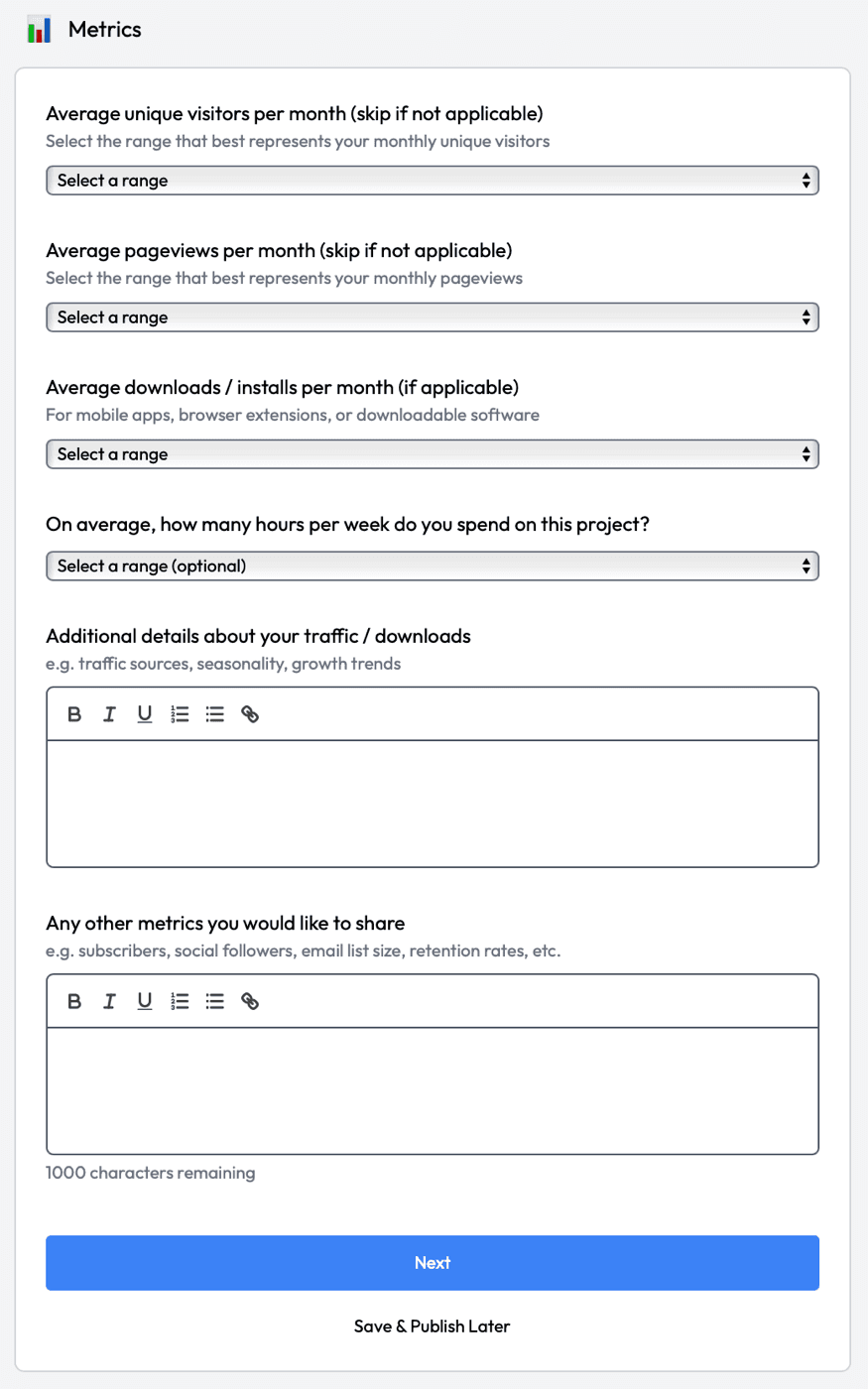
Metrics takes ranges for monthly unique visitors, pageviews and downloads or installs. Any of the three can be skipped when it does not apply, and hours a week is optional. Two text boxes follow, the second capped at 1,000 characters. Pick the range that is true; their approval guide says it outright, "Don't exaggerate - we check."
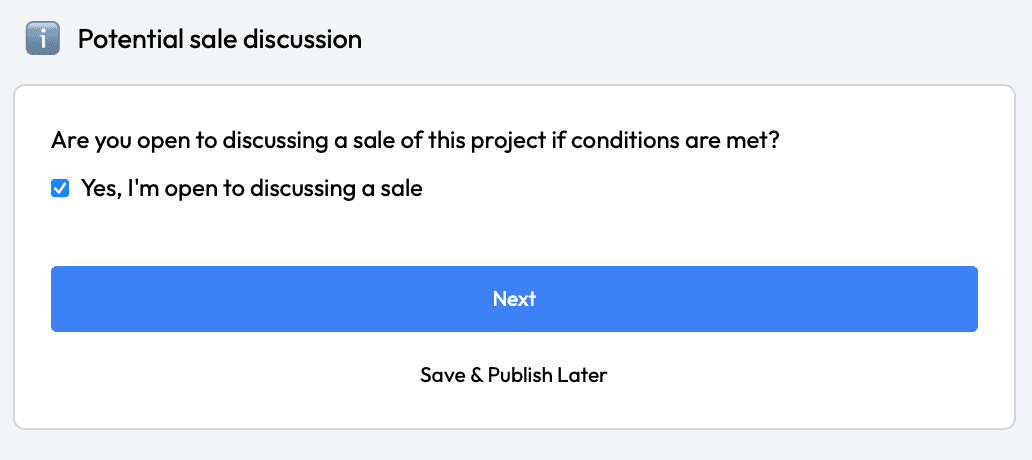
Potential sale discussion is one checkbox under "Are you open to discussing a sale of this project if conditions are met?" Showcases sit in a marketplace where people come to buy, so the question is a real one. Tick it only if you would answer an offer.
Step 6: clear the red, then the orange
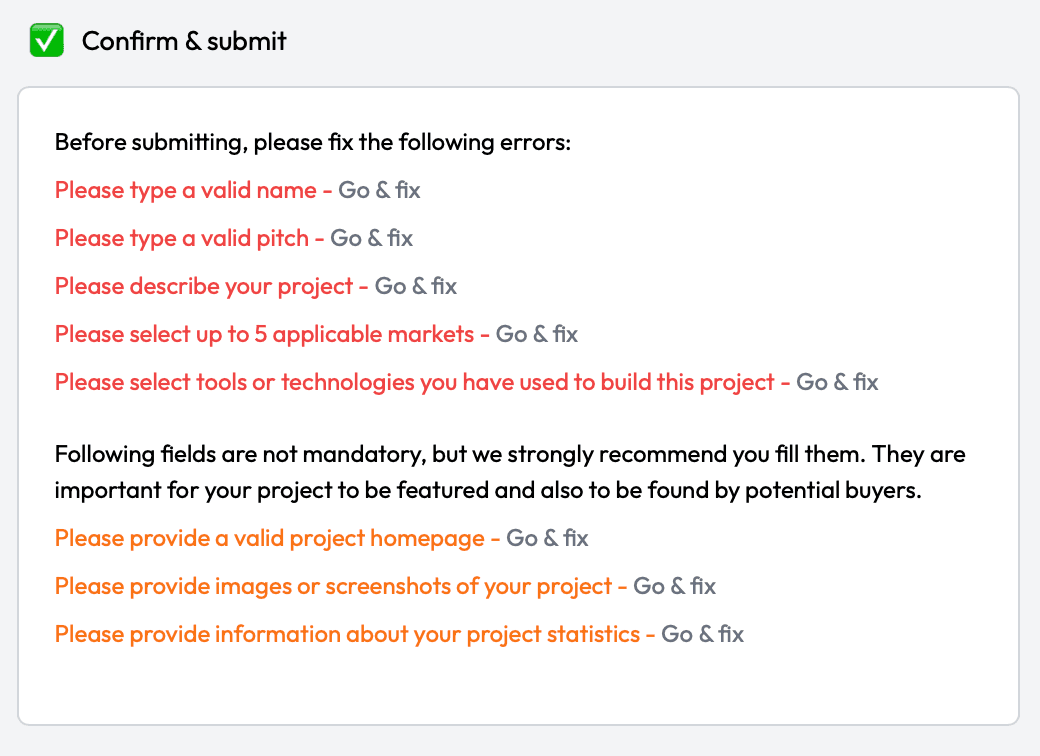
The confirm screen lists what is missing. In red, the five things it will not submit without: a valid name, a valid pitch, a description, up to five markets and the tools you built with. In orange, three it recommends: a project homepage, images and your statistics, which it calls "important for your project to be featured and also to be found by potential buyers." Each line has a Go & fix link back to its step.
With the list clear, you tick "I declare that this information is truthful and I comply with all terms & services" and decide on a switch reading "Also feature this on ComingUp for free". Left on, SideProjectors files the project to ComingUp itself once it is approved; our ComingUp guide covers what that listing carries.
Where your link sits on the listing
Your listing shows the homepage address twice: as a short link under your logo, and again under Project homepage beside the description. Both are plain links with no rel attribute, built the same way on sale and showcase listings, and both point at the full address from the field, query string included.
The HTML the server sends also holds a text copy of the listing, hidden from view. Its Website line links your homepage too, marked rel="nofollow ugc noopener" on all 150 of the newest listings that have one. A crawler that runs the script finds both versions; one that reads only the served HTML finds the copy alone.
Around those links, the page dates your listing and lays out the pitch, description, markets, stack and metrics you gave it. A link in the description shows as nofollow, which is one more reason the homepage field is the one to fill.
Review, and what the paid extras change
Every project is read by a moderator. Their approval guide gives "Most projects get reviewed within 2-5 business days, but it can vary depending on volume." and adds that "Once your project is approved, it goes live immediately." Their submission guide puts the usual review at around 24 hours, and the screen you see after submitting says it "typically takes 2-3 business days for approval." By their own account the slow ones are projects that are "incomplete or vague", because the team often has to come back with questions.
Three paid extras are on offer. Fast approval costs $20: "After payment is confirmed, your project will be automatically approved within about 2 hours." Re-submission, at $10, puts a listed project back at the top of the front page without another review. Sponsoring is $10 a day for a spot on the home page, every project page and the newsletter, two sponsors a day at most. Their approval guide is clear that the free path stays open: "This is completely optional. The standard approval process is still free - it just takes longer."
The part Submitator takes over
Pick SideProjectors in your plan and the six steps are ours: the 80-character pitch and a description written for this marketplace alone, your screenshots cut to fit, your homepage in its field and the rest of the form around them. It counts as one of the 30 directories in the $29 plan, and you pick all 30 yourself from a catalog that prints each one's Domain Rating.
In that catalog SideProjectors sits in the software group, beside the other sites a SaaS product is filed to; the rest of that group is listed with each one's rating.
SideProjectors review: the short answer
List it. A showcase costs nothing, requires nothing of your site and puts a dated, indexable page on a DR 71 marketplace in front of people who come to look at side projects and sometimes to buy one. Fill in the homepage, add screenshots and a stack, pick metric ranges you can stand behind and expect a moderator before it goes live.
How to list a project on SideProjectors, step by step
- 1
Sign in and choose the route
Press Submit a project. For a product you are growing, choose “I want to promote / showcase my project”; sell and co-founder are the other two routes.
- 2
Start from a shortcut or from scratch
Fetch it from your homepage or import it from ProductHunt, GitHub or GitLab; starting from scratch works too. Check every field a shortcut fills.
- 3
Write the pitch and fill in the homepage
Type, name (50 characters), an 80-character pitch on the problem it solves, the full homepage address, a description that opens on the point, up to five markets.
- 4
Add screenshots and the stack
Screens of the product working, a video link if you have one, then at least one technology in the stack step and a line on who uses it.
- 5
Pick honest metric ranges
Visitors, pageviews and downloads where they apply, then hours a week if you like and a note on where traffic comes from.
- 6
Answer the sale box and confirm
Tick it only if you would discuss an offer. Clear the red list, fill the orange one, tick the declaration and decide on the ComingUp switch.
- 7
Open your listing once it is approved
Click both homepage links, under the logo and under Project homepage, and check they land where you meant.
- 8
Or let Submitator file it
We write the pitch and description for SideProjectors, fill all six steps with your homepage in place and file it with the rest of your directories.
Their $20 speeds up one approval. Our $29 files 30 directories.
One payment, every directory named in your dashboard with its Domain Rating on the card, a rejection replaced by another directory you pick and a description written for each one.
Their $20 speeds up one approval. $29 files 30 directories.
SideProjectors is a DR 71 marketplace for side projects that lists showcases and sales free, with no commission and nothing required of your site. Choose the showcase route, write an 80-character pitch, fill in the optional homepage field that both visible links come from, add screenshots and a stack and wait for a moderator, or pay $20 to be approved in about two hours. The whole catalog.
FAQ
How do I submit a project to SideProjectors?
Sign in, press Submit a project and pick a route: sell, find a co-founder or “I want to promote / showcase my project” for a product you are not selling. A shortcut can pre-fill the form from your homepage, ProductHunt, GitHub or GitLab. Then six steps: project information, media, how it is built, metrics, the sale question and Confirm & submit. Moderators review it before it goes live.
Is SideProjectors free?
Yes. Their own wording: “Listing is free and there is no commission on a sale. Paid extras such as faster approval are optional.” The paid extras are a fast approval at $20 USD, a re-submission to the top of the front page at $10 USD and sponsored placement at $10 per day.
Does a SideProjectors listing link to my website?
Yes, if you fill in Project homepage, which the form leaves optional. Your page then shows the address twice, under your logo and under Project homepage; both links carry no rel attribute. The HTML the server sends also holds a hidden text copy of the listing whose Website link is marked rel="nofollow ugc noopener". Links typed into the description show as nofollow.
How long does SideProjectors take to approve a project?
SideProjectors prints three figures. Their approval guide says “Most projects get reviewed within 2-5 business days, but it can vary depending on volume.” Their submission guide says the review “takes usually around 24 hours”, and the screen shown after you submit says it “typically takes 2-3 business days for approval”. Paying $20 for fast approval changes it to this: “After payment is confirmed, your project will be automatically approved within about 2 hours.”
Can I list a project on SideProjectors without selling it?
Yes: choose “I want to promote / showcase my project” on the first screen. On 23 October 2026 showcases made up 98 of the 157 most recent listings. A showcase page carries a Contact Owner button for questions, and step 5 asks whether you would discuss a sale anyway, a box you leave empty if you would not.
What does the SideProjectors form ask for?
Required: a project type (one of nine), a name of up to 50 characters, a one-sentence pitch of up to 80, a description, up to 5 markets from a list of 629 and at least one technology from the stack step. Recommended by the confirm screen: a project homepage, screenshots and your project statistics. Optional: a logo of at least 256x256, social handles, video links, hours a week and free-text notes on traffic and other metrics.
What is SideProjectors' Domain Rating?
71 on Ahrefs, the score our free Domain Rating checker showed for sideprojectors.com on 23 October 2026.
Is SideProjectors the same as sideprojects.net?
No. SideProjectors (sideprojectors.com) is a marketplace where makers sell, buy and showcase side projects. sideprojects.net is a different site, where indie makers launch by the day through a form of its own, and Submitator has a guide for each.
Does Submitator submit to SideProjectors?
Yes. Add SideProjectors to your selection and all six steps are filled in for you, with a pitch and a description written for this marketplace alone and your screenshots cut to fit. 30 directories cost $29, paid once.
Similar directories we submit to.
Their $20 speeds up one approval. Our $29 files 30 directories.
One payment, each directory named with its Domain Rating on the card before you choose it, a rejection swapped for another directory and every form filled in for you, homepage field included.