
One URL Field. A Dofollow Link on Every Listing.
When a customer picks SaaSRow, we file their URL on its Free tier. We mapped saasrow.com on 11 October 2026, from the one-field form to all 744 listing pages.
SaaSRow is a free software listing site run by Profullstack, Inc. Its llms.txt, the summary it publishes for AI assistants, describes it as "A directory of software and SaaS products, published as structured data for humans, search engines and AI agents." Its free tier lists a "Dofollow backlink" first, and every one of the 744 live listings carries one.
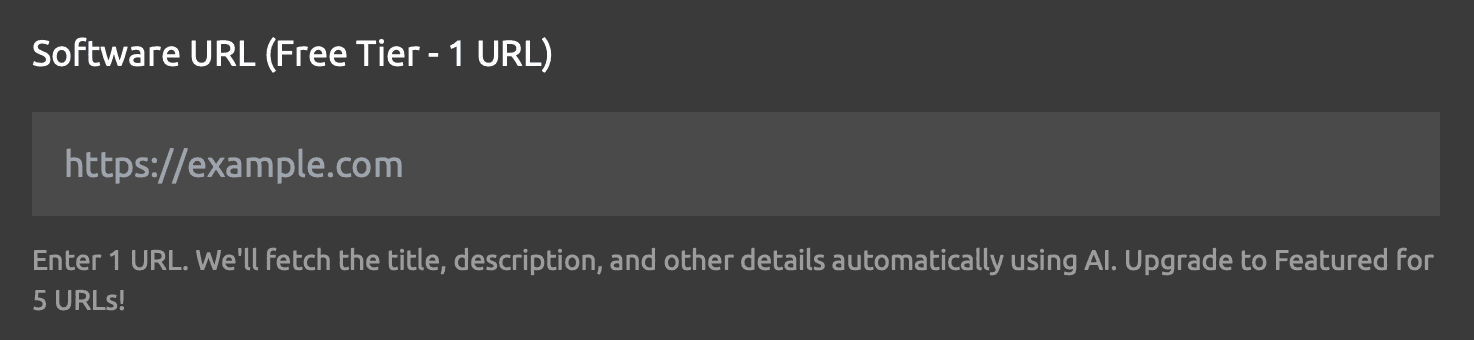
Submitting asks for one field. Paste your address into "Software URL (Free Tier - 1 URL)" and press Continue: SaaSRow's AI fetches the title, description, category, tags, a preview image and the logo, then lays them out on a card with Edit and Remove buttons. The last step asks for an email, which receives a link for managing the listing.
Customers who choose SaaSRow have their URL submitted on its Free tier as part of their plan, and SaaSRow's AI builds the listing from their site.
| Step | What you see |
|---|---|
| Paste the URL | One field, “Software URL (Free Tier - 1 URL)”, placeholder https://example.com |
| Press Continue | The button reads “Fetching details...” while SaaSRow's AI reads your site |
| Check the card | Title, address, description, category, tags, image and logo, with Edit and Remove |
| Press Submit All (1) | A dialog headed “Enter Your Email” asks where to send the management link |
| Press Submit | The listing goes to review: “Standard review time (7-10 days)” |
On SaaSRow the followed link is not an upgrade. The free tier includes a "Dofollow backlink", and on 11 October 2026 every one of the 744 listing pages linked the product twice, through the Visit Website button and through the address in its Details panel. All 1,488 of those links are followed (rel="noopener noreferrer") and lead straight to the listed address with ref=SaasRow added, so you can pick SaaSRow's visitors out in your analytics.
SaaSRow at a glance
| What you get | SaaSRow |
|---|---|
| Price to list | Free; Featured $2 once, Premium from $5/month |
| The form | One field: your software URL |
| Listing details | Fetched from your site by SaaSRow's AI |
| Account to open | None; an email receives the management link |
| Before it appears | A review, “Standard review time (7-10 days)” |
| Free listing term | 90 days, renewable from the management page |
| Asked of your site | Nothing: no badge, no link back |
| Link to your site | Followed, 1,488 of 1,488 on 744 pages |
| Also published as | JSON, markdown, JSON-LD and over MCP |
| Domain Rating | 23 on Ahrefs, via our checker |
| Filed for you by Submitator | Your URL on the Free tier, from $29 |
The SaaSRow facts on this page date from 11 October 2026 and come from saasrow.com itself: its home page, the submit, Get Featured, About, Developers and Distribution pages, the terms and privacy pages, robots.txt, the sitemap, llms.txt and llms-full.txt, its keyless read API, the code behind its submit and listing pages (public on GitHub as well) and all 744 listing pages its sitemap names. Labels, the review card, the email step and the plan cards are quoted from those pages and that code; the first step also matches the screenshot our founder took of it, and the listing pictured is SaaSRow's own entry for saasrow.com, rendered the same day. Every listing page carries two links to its product, the Visit Website button and the address under Website in the Details panel, and all 1,488 open the listed address with ref=SaasRow appended and rel="noopener noreferrer". No page uses nofollow, sponsored or ugc as a rel, and each can be indexed, canonicalises to itself and appears in the sitemap. Three pages requested as Googlebot came back byte for byte the same, as did the links on twenty pages rendered in a browser; the listing code sets one rel for every listing whatever its plan. The sitemap, the API, llms.txt, llms-full.txt and the Distribution page agree on 744 listings. Prices are the Get Featured page's; the review times and the 90-day term are SaaSRow's own words, and renewal from the management page is its Developers page's account. On submitator.com/domain-rating-checker that day, saasrow.com showed an Ahrefs Domain Rating of 23. Our side of SaaSRow rests on two statements by our founder: that we submit customers there on its Free tier (11 October 2026) and that the email a customer gives us is the one we enter (29 September 2026). Our own numbers are those on /pricing and in /terms: one payment of $29, $49 or $79 for 30, 60 or 100 directories picked in the dashboard, a 2 to 3 day submission target under a 21-day commitment, an extra directory to choose for each rejection and refunds only on the conditions the terms set out.
From URL to review card
Two buttons lead in: Submit Your Software Free in the home page's hero and Submit Now on the Free card of the Get Featured page. Both open saasrow.com/submit, where an upgrade card sits between the heading "Submit Your Software" and the form. The form itself is one box with one field.
Paste the address in full, https:// included, since the field accepts only a complete URL. Then press Continue. The button reads "Fetching details..." while SaaSRow's AI reads your site. What comes back is a card under the line "Review your submissions and edit if needed": your logo, title and address, a two-line description, the category, up to three tags and the preview image, with Edit and Remove beside them.
If the card looks right, press "Submit All (1)". A dialog headed "Enter Your Email" explains what the address is for: "We'll send you a management link so you can edit your listings later." Enter it and press Submit; the listing then goes to SaaSRow's review.
Set up the page SaaSRow reads
One field does not mean nobody writes the listing; it means your homepage does. SaaSRow builds the entry from the address you give it, fetching, in its own words, "the title, description, and other details", and those details go further than the card. The listing's name heads its page title, and its description becomes the page's meta description, cut at 160 characters.
So write the homepage you would want quoted. Give it a title that names the product and its job, plus a meta description that says in a sentence or two who it is for. Add a share image (og:image) that still reads at card size and an icon that stays clear when small. Every SaaSRow listing shows a logo and a preview image, and the preview image is also the card people see when the listing is shared. The work carries over, too: any directory that drafts its entry from your URL starts from the same title, description and image.
The address on the review card is the one that gets submitted, and a live listing's Visit Website button opens exactly that with ref=SaasRow added. That tag is how visits from the listing identify themselves, since the link's noreferrer setting keeps SaaSRow out of the referrer field: filter your analytics for it to see what the listing sends you.
What a listing page gives you
Each approved product gets its own page on saasrow.com, indexable, self-canonical and in the sitemap. It opens with the logo, the name and the category, then the preview image, the description and tags that link to SaaSRow's tag pages. Under them sits a wide Visit Website button, the first of two links to your site.
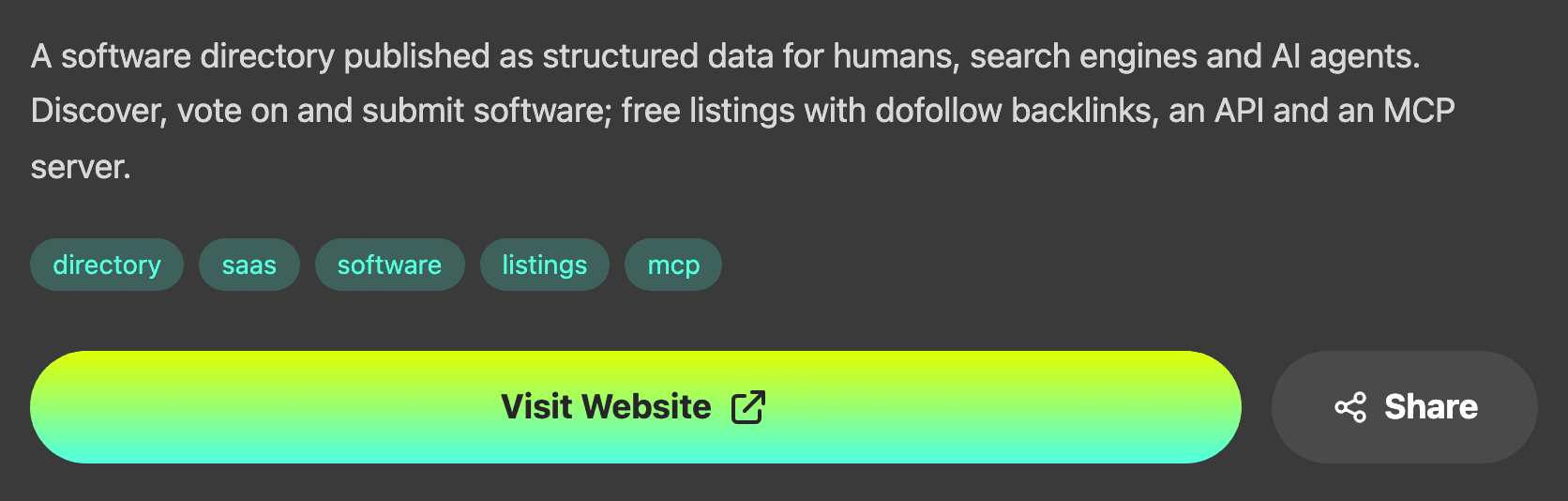
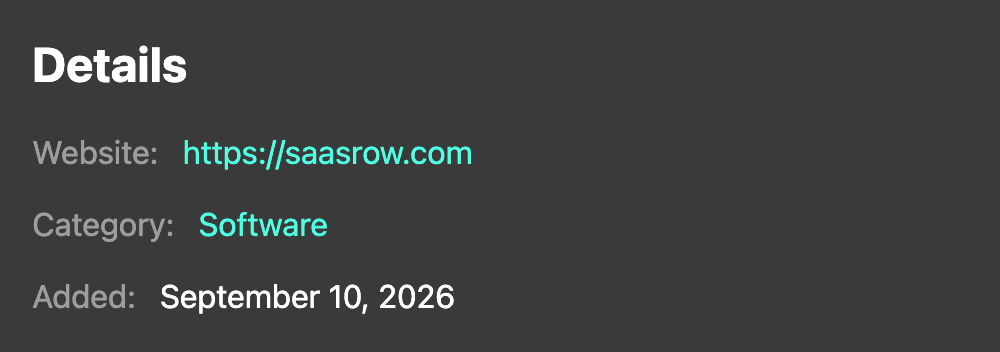
Further down, past a screenshot gallery, reviews and six Related Software cards, a Details panel repeats your address on its Website line. That is the second link, followed like the first. The Related Software cards help as well, because your listing can turn up among them on other products' pages.
The home page and the category and tag pages draw on the 50 most recently added listings, and each card there links to the product directly too.
Read by search engines and AI assistants
SaaSRow's Distribution page sums up its approach in five words: "List once. Get found everywhere." Every listing is published several times over: as a JSON record in a public API that needs no key, as a plain markdown page, as schema.org SoftwareApplication markup on the listing itself and as an entry in llms-full.txt, the whole directory in one file for AI assistants. Agents can also search it through an MCP server.
The reasoning is theirs: "Assistants like ChatGPT and Claude read structured facts rather than guessing at your marketing copy." The robots.txt matches it, opening every listing page to search engines and to the search and assistant agents of ChatGPT, Claude and Perplexity. The site is open about its workings as well: its code is public on GitHub, and the footer links to it.
Free, Featured and Premium
The box under the URL field spells out the free tier, and the link heads the list.
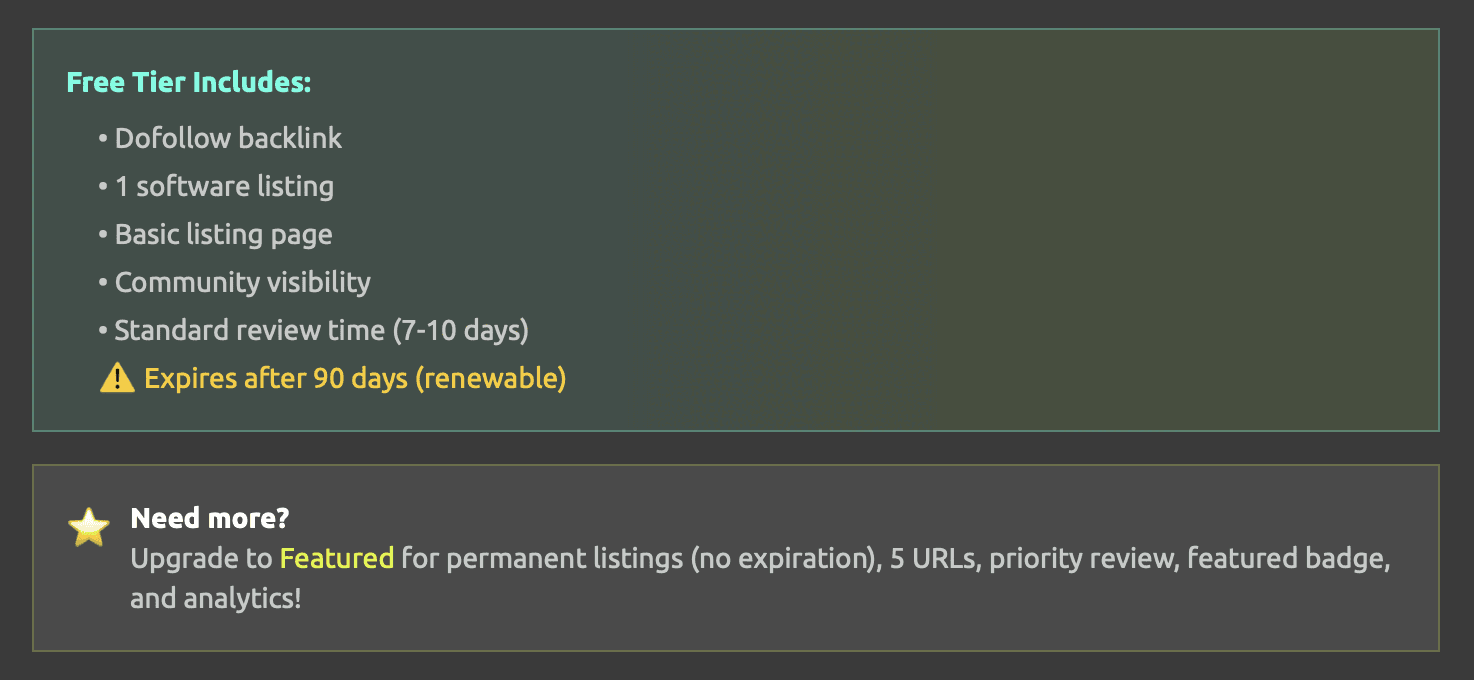
"Dofollow backlink" appears on all three plan cards, Free, Featured and Premium, so paying does not change the link. What the paid plans sell is time, volume and reach. The Get Featured page puts the cheaper one in a single line: "Featured is a one-time $2." It drops the expiry ("No expiration - Permanent listings"), allows up to five listings, adds a featured badge and moves review to "Priority review (2-3 days)". Premium, at $5 a month, $20 a year or $199 lifetime, adds unlimited listings, a homepage featured spot and same-day review.
The free listing's term is in the same box: "Expires after 90 days (renewable)". Renewal is done from the listing's management page, which opens from the emailed link. The same email owns every listing submitted with it, and the Sign In button in the header sends a fresh link to it whenever one is needed.
SaaSRow in your Submitator plan
SaaSRow sits in our catalog as a Free-tier directory. Tick it in your dashboard and we submit your URL as part of your plan; SaaSRow's AI then fetches the listing details from your site, as it does for every URL entered in the form. At the email step we use the address you give us, so the management link lands in your inbox.
On a $29 Starter plan, SaaSRow can take one of your thirty places, and the dashboard shows each directory's Domain Rating on its card before you choose. Our target is to have every pick submitted in 2 to 3 days, while the terms hold us to 21 days at most. SaaSRow's review then runs on its own timetable, and if it turns a submission down, you get an extra directory to choose in its place.
Is a SaaSRow listing worth it?
Yes. It asks for one URL and nothing on your site, and its AI drafts the entry. The free listing carries the same followed link as the paid ones, twice on every page, and it goes out in the formats search engines and AI assistants read. Get the homepage right first and the listing follows.
How to submit to SaaSRow, step by step
- 1
Tune the homepage first
SaaSRow builds the listing from the address you give it. Let the title and meta description name the product, its job and its audience, and give the page a share image and a clear icon.
- 2
Open saasrow.com/submit
Through Submit Your Software Free on the home page, or Submit Now on the Free card of the Get Featured page.
- 3
Paste the full URL
Into “Software URL (Free Tier - 1 URL)”, https:// included, then press Continue.
- 4
Check the card
Under “Review your submissions and edit if needed” you see the title, description, category, tags and image that SaaSRow's AI fetched. The address on the card is the one Visit Website will open.
- 5
Press Submit All (1), then add your email
The dialog headed “Enter Your Email” takes the address for the management link. Press Submit and the listing goes to review.
- 6
Keep the management link
It opens the page where the listing is edited and renewed, and the same email owns every listing submitted with it.
- 7
Or leave it to Submitator
Choose SaaSRow in your dashboard and your URL goes in on the Free tier along with your other picks.
$0 here. $29 for the thirty you have not filled in yet.
One payment, every directory named in your dashboard with its Domain Rating on the card and the ones you tick filed for you.
One URL, a followed link and a page. $0 here, $29 for thirty.
SaaSRow lists software free from a single URL field, lets its AI draft the entry from your site and reviews it before it appears. Every listing page links the product twice with followed links, and each listing is also served over an MCP server and as JSON, markdown and JSON-LD. Your URL goes in on the Free tier as part of a Submitator plan, from $29 for thirty. The whole catalog.
FAQ
How do I submit to SaaSRow?
Open saasrow.com/submit, or press Submit Your Software Free on the home page. Paste your full address into “Software URL (Free Tier - 1 URL)” and press Continue. SaaSRow's AI fetches the details and lays them out on a card under the line “Review your submissions and edit if needed”. Press Submit All (1), enter an email for the management link and press Submit; the listing then goes to SaaSRow's review.
Is SaaSRow free?
Yes. The Free card on its Get Featured page reads “$0” and “Perfect for trying us out”. Its first line is “Dofollow backlink”, followed by one software listing, a basic listing page, community visibility and “Standard review time (7-10 days)”. Your site does not have to carry a SaaSRow badge or link. Featured (a one-time $2) and Premium (from $5 a month) are optional.
Is the SaaSRow link dofollow?
Yes. The free tier promises a “Dofollow backlink”, and on 11 October 2026 all 744 listing pages delivered one. Each links its product twice: the Visit Website button, then the address listed under Website in the Details panel. All 1,488 links use rel="noopener noreferrer" and go directly to the listed address, with ref=SaasRow appended. Those two values only govern security and privacy in the browser; neither stops a link being followed, and none of the links is marked nofollow, sponsored or ugc.
What is SaaSRow's Domain Rating?
23: Ahrefs' Domain Rating for saasrow.com, as our checker returned it on 11 October 2026. SaaSRow shows no rating on its own pages, and nothing in its robots.txt keeps Ahrefs out.
What does the SaaSRow form ask for?
On the Free tier, one field: “Software URL (Free Tier - 1 URL)”, which wants a complete address like the placeholder https://example.com. SaaSRow fills in the rest itself, as the help line says: “We'll fetch the title, description, and other details automatically using AI.” The only other thing the flow asks for is an email, for the management link.
How long does SaaSRow's review take?
Every submission is reviewed first: in the words of its Developers page, a listing “is reviewed before it appears”. For a free listing SaaSRow states “Standard review time (7-10 days)”. Featured lists “Priority review (2-3 days)” and Premium “Same-day review”.
How long does a free SaaSRow listing stay up?
The box under the URL field says it: “Expires after 90 days (renewable)”. Renewal is done on the listing's management page, which opens from the link SaaSRow emails to the address given at the last step. The Sign In button sends a fresh link to that address whenever one is needed.
What do SaaSRow's paid plans add?
Featured is a one-time $2: “No expiration - Permanent listings”, up to five listings, a featured badge, “Priority review (2-3 days)”, monthly analytics, a logo in category pages and social media mentions. Premium is $5 a month, $20 a year or $199 lifetime and adds unlimited listings, a homepage featured spot and same-day review. “Dofollow backlink” is on all three cards, Free included.
Can AI assistants find a SaaSRow listing?
That is the idea behind the site. Every listing is also published as a JSON record in its public API, as a markdown page, as schema.org JSON-LD and in llms-full.txt. Agents can search the directory through its MCP server too. Its robots.txt lets search engines and the search and assistant agents of ChatGPT, Claude and Perplexity read every listing page.
Does Submitator submit to SaaSRow?
Yes, on SaaSRow's Free tier. Choose SaaSRow in your dashboard and we submit your URL with the rest of your plan; SaaSRow's AI then fetches the listing details from your site. A $29 Starter plan covers thirty directories, and SaaSRow can be one of them.
More submit-to guides.
SaaSRow is free. Thirty directories are $29, each one measured.
One payment. Each directory is named with its Domain Rating on the card before you choose it, the ones you tick are filed for you and a rejection is swapped for another directory.