
Free Link Preview Checker
A link preview is the card an app builds when someone shares your URL: an image, a title, a line of description and your domain, read from the page's meta tags. Enter a URL to see how it shows on Google, X, Facebook, LinkedIn, Slack and iMessage, which tags are missing or broken and a corrected set to copy. Free, no signup.
Free · no signup · reads the HTML crawlers see
What the meta tags checker reads
Each check fetches the page once, the way a crawler does: the raw markup, before any script runs. These are the tags it reads and what each one decides.
- <title>
- The headline in Google results, and the title every card falls back to.
- meta description
- The line Google may show under your headline.
- canonical
- The address search engines should treat as the main version of the page.
- og:title and og:description
- The headline and the text on Facebook, LinkedIn, Slack and iMessage cards.
- og:image
- The picture on the card, and most of its space.
- og:url, og:type, og:site_name
- The address shares count against, the kind of page and the brand name.
- twitter:card
- Whether X shows the large image card or the small summary.
- favicon
- The icon beside your result in Google and on the browser tab.
Why a link preview breaks
These are the five ways a card ends up with the wrong picture, or none. The checker catches the second, third and fifth outright, and its result tells you when the first or the fourth is to blame.
- 1The tags are added by JavaScriptThe crawlers that build cards read the markup your server returns and do not run your scripts, so tags a single-page app adds after it loads never reach them. When the checker misses a tag your browser's inspector shows, this is why.
- 2The image address is relative or broken/og.png instead of https://yourdomain.com/og.png, an image that answers 404 or one behind a login or a firewall. The checker requests the image itself and says which.
- 3The image is the wrong fileX does not support SVG, takes images under 5 MB and shows its large card at 2:1. Facebook refuses images over 8 MB or under 200 x 200 pixels.
- 4The platform kept the old cardPlatforms store a card the first time a link is shared. Facebook caches images by their address and updates one only when the address changes, so a new picture needs a new file name, or a version such as ?v=2.
- 5Two sets of tags disagreeA theme and an SEO plugin that both write og:title leave two of them, and the one a platform picks may not be the one you edited. The checker flags every duplicate whose values differ.
Once the tags are right, ask the platforms to read them again: Facebook's Sharing Debugger and LinkedIn's Post Inspector both fetch a page on request.
The right og:image size
Make it 1200 x 630 pixels. Facebook recommends at least that, at a ratio as close to 1.91:1 as possible, which is the shape of the large cards on Facebook and LinkedIn. X shows its large card at 2:1, so it trims a thin strip from the top and the bottom of a 1200 x 630 image: keep text and faces away from those edges.
A PNG or JPG under 5 MB stays inside X's limit and Facebook's 8 MB one. Declare the size with og:image:width and og:image:height, so Facebook can show the picture on the very first share, and describe it in og:image:alt for people using screen readers.
Directories read these tags too
Share cards are not the only place these tags end up. FiveTaco asks for nothing but the URL and collects the rest, and CurlShip takes the card straight from your page, picture included. Startup Alternatives has a form of its own and still puts each product's own og:image on its cards. On all three, tags this checker reads end up on your listing.
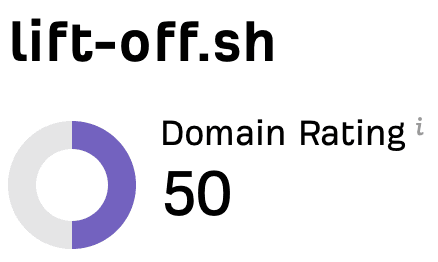
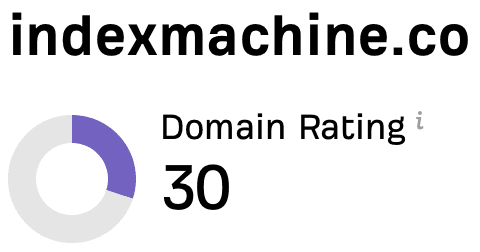
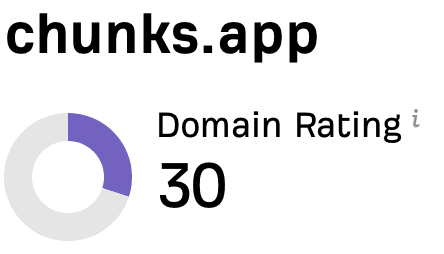
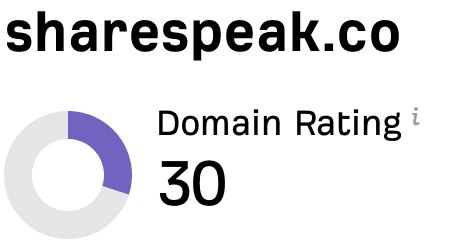
Fix them here and every listing built from them starts out right. Then hand the directories to Submitator: you pick them in our catalog, a table with Domain Rating and link type columns, and we do the rest. Every form gets filled, every directory gets a description written for it alone and your cover image is cropped to the size each site asks for. Where a directory wants its badge on your site, a single component carries them all and keeps each one live, so no directory ever costs you a commit. Starter is 30 directories for $29, paid once; most directories are delivered in 24 to 48 hours, every directory within 21 days at most.
30 directories for $29
Growth is 60 for $49 and Scale is 100 for $79, one-time.
Real backlinks. Real DR. Real proof.
Where to paste the tags
The block the meta tag generator writes goes inside your page's <head>, in place of the tags it replaces. If a framework or a plugin writes your meta tags, enter the values there instead: in Next.js that is the metadata export, in WordPress usually your SEO plugin's fields. A second set pasted by hand leaves two of each, and the checker flags the pair.
Then check the page again. The checker keeps no copy between checks, so each one reads the tags as your server sends them at that moment.
FAQ
What is a link preview?
A link preview is the card an app shows when someone shares a URL: usually an image, a title, a line of description and the domain. The app builds it by fetching the page and reading its Open Graph tags (og:title, og:description and og:image), while X reads its own twitter: tags and falls back to the Open Graph ones. Where a tag is missing, each app fills the gap its own way, which is why one link can look different everywhere.
Why is my link preview not showing an image?
Check five things, in this order: there is no og:image tag; the og:image is a relative path such as /og.png rather than a full https:// address; the image answers an error or sits behind a login or a firewall; the file is an SVG, which X does not support; or the platform stored the card before you fixed it. The checker at the top of this page reads the tags and requests the image itself, which settles the first four. If all of them pass, the platform is most likely showing the card it stored.
How do I refresh a link preview that shows old information?
Ask the platform to fetch the page again: Facebook's Sharing Debugger and LinkedIn's Post Inspector both do it on request. Facebook caches images by their address and updates one only when the address changes, so when you replace the picture, give it a new file name or add a version such as ?v=2 to the og:image address. Elsewhere, a new share of the same URL can keep showing the old card for a while.
What size should an og:image be?
1200 x 630 pixels. Facebook recommends at least that, as close to 1.91:1 as possible, and refuses images under 200 x 200 pixels or over 8 MB. X shows its large card at 2:1, between 300 x 157 and 4096 x 4096 pixels, and takes files under 5 MB, so a PNG or JPG of 1200 x 630 under 5 MB works for both. Keep text and faces away from the top and bottom edges, which X trims.
Do Open Graph tags help SEO?
Not directly. Their job is the card a share produces, and a card with a clear image and headline gives people a reason to click that a bare link does not. Google does list og:title among the sources it can draw on when it writes a result's title link, but the <title> tag and the meta description are the ones that shape how a page looks in search.
What is the difference between the title tag and og:title?
The <title> tag names the page: browsers show it on the tab and Google starts from it when it writes the headline of a search result. og:title is the headline of a share card. They can differ: a search title often ends with your brand, while a card already shows your domain, so og:title can spend those characters on the message. When og:title is missing, most platforms use the <title> instead.
Do I still need Twitter Card tags?
One of them is essential. twitter:card has no Open Graph equivalent: set it to summary_large_image for the large image card, because without it X's documentation says a summary card may be rendered, which shows the image as a small square. twitter:site is worth adding too: it credits the card to your @handle, and X's markup reference calls it required, although its page on the large image card marks it optional. twitter:title, twitter:description and twitter:image fall back to og:title, og:description and og:image, so X can build the rest of the card from your Open Graph tags. The generator on this page writes them out anyway, with the same values.
Why does the checker show different tags from my browser?
Your browser runs the page's JavaScript; the checker reads the HTML the server sends before any script runs, which is what the crawlers that build cards read too. A tag that appears in your browser's inspector but not here is added by a script after the page loads, and the crawlers miss it as well. Some sites also serve crawlers different HTML from browsers, and a firewall can answer an unfamiliar visitor with a challenge page instead of yours.
Is this link preview checker free?
Yes, with no signup and no card. Check your own page before you share it or a competitor's to see how they set theirs up, then copy the corrected tags for your own.
The platform limits on this page come from X's Cards markup reference and large image card page as archived on 1 and 4 February 2026 (developer.x.com no longer serves them), from Facebook's Sharing for Webmasters and Images guides and from Google Search Central on title links, snippets and favicons, all read on 23 October 2026. Google publishes no character limit for titles or descriptions and cuts both to fit the screen, so the 60 and 160 characters the checker works to are rules of thumb.
Keep going
Tags fixed? 30 directories for $29.
One-time. You pick the directories, Submitator fills every form and writes a unique description for each.