
One Free Launch on sideprojects.net, Two Followed Links to Your Site.
We submit customers to sideprojects.net on its free launch route. What follows describes its form, its prices and its project pages on 11 October 2026.
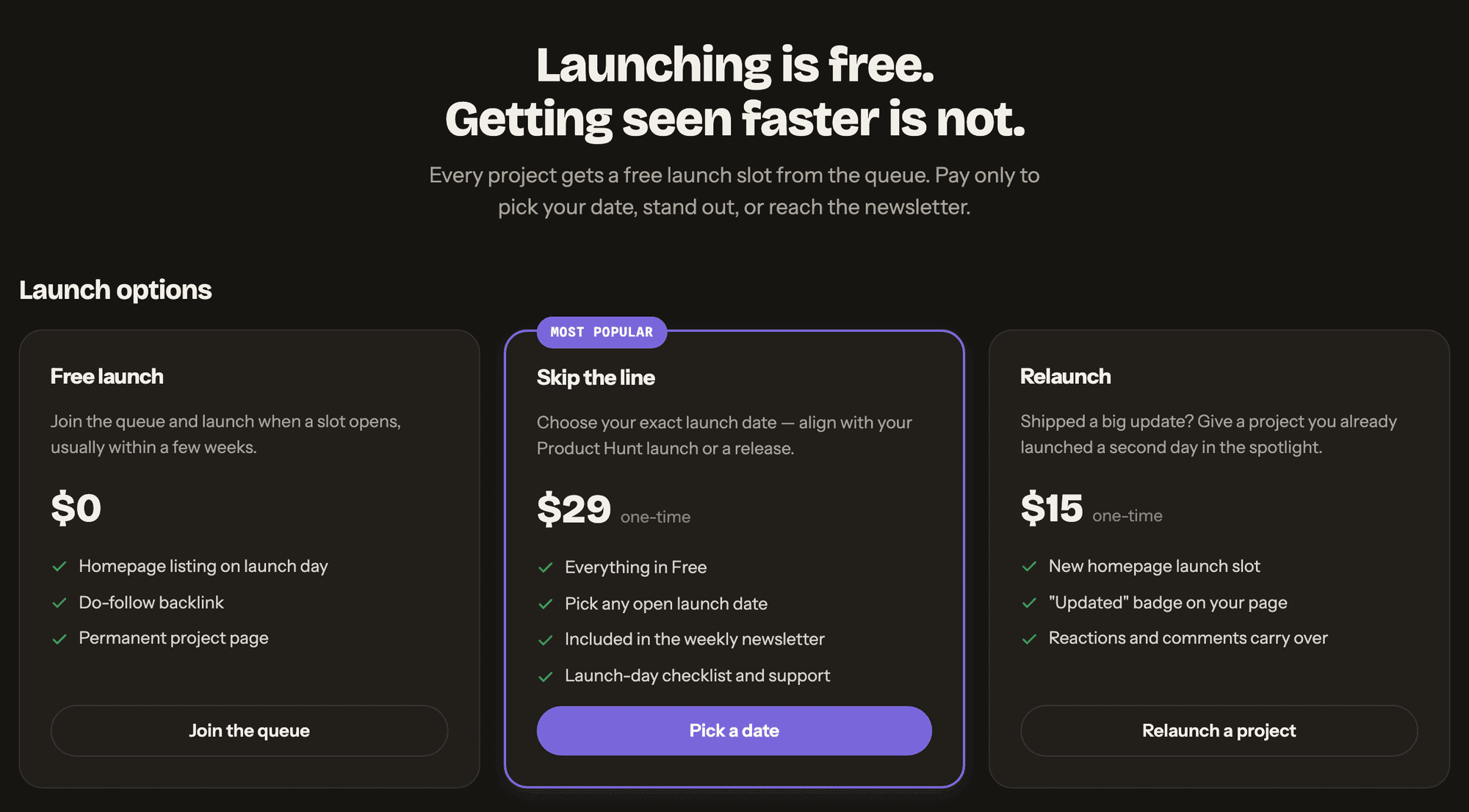
sideprojects.net is a daily launchpad for indie makers, with 6,408 project pages and launches going back to October 2024. A free launch comes with three things, as its pricing page lists them: "Homepage listing on launch day", "Do-follow backlink" and "Permanent project page".
The backlink is in fact two. Each project page links to the product from its Visit site button and again from the Website line in its side box, and both links are followed. In our experience the page itself is published at once; only its day on the home page waits for a slot.
Pick sideprojects.net in your dashboard and we file it on that free route, with the About written for this site and your images cut to its format.
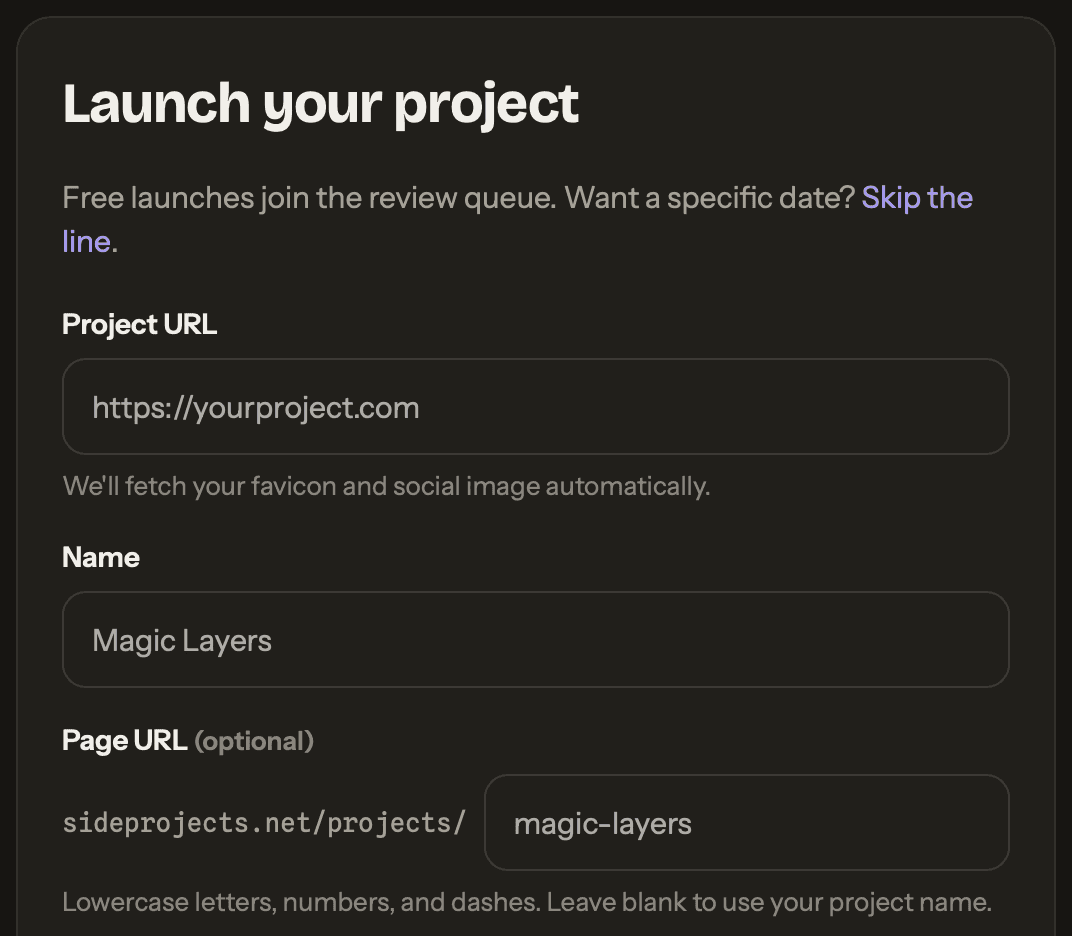
| Field | What goes in |
|---|---|
| Project URL | Your site; both links point here, and the favicon and social image come from it |
| Name | Heads the page and, by default, makes its address |
| Page URL | Optional; lowercase letters, numbers and dashes after sideprojects.net/projects/ |
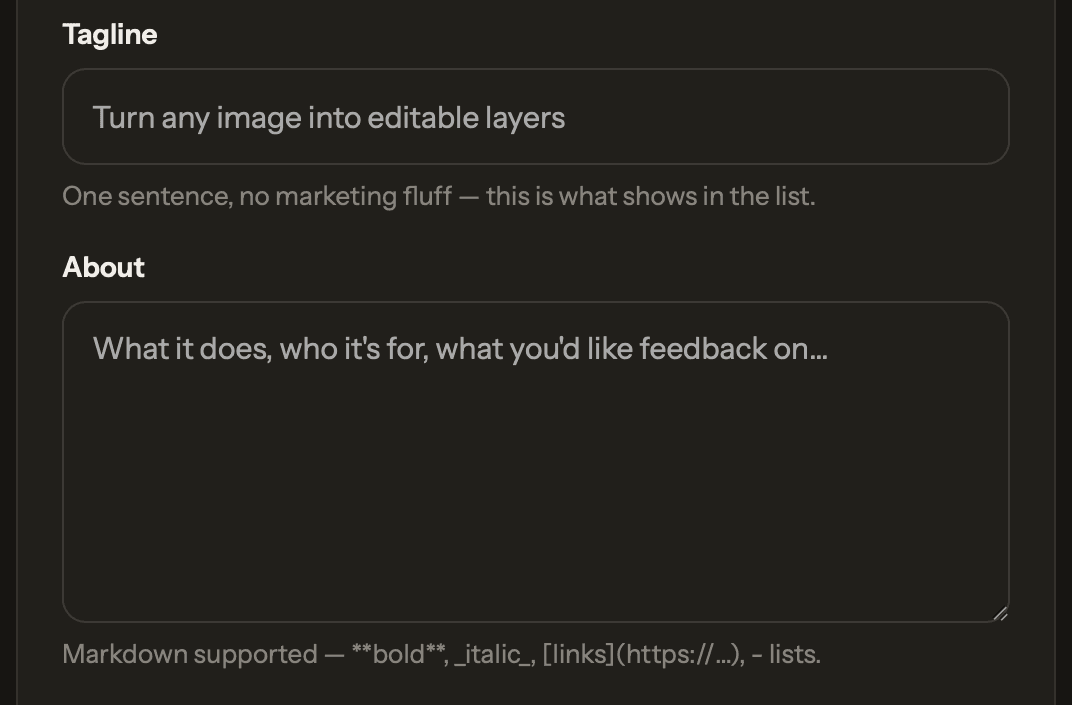
| Tagline | One sentence; shown in the list and used as the meta description |
| About | Markdown: bold, italics, links and lists |
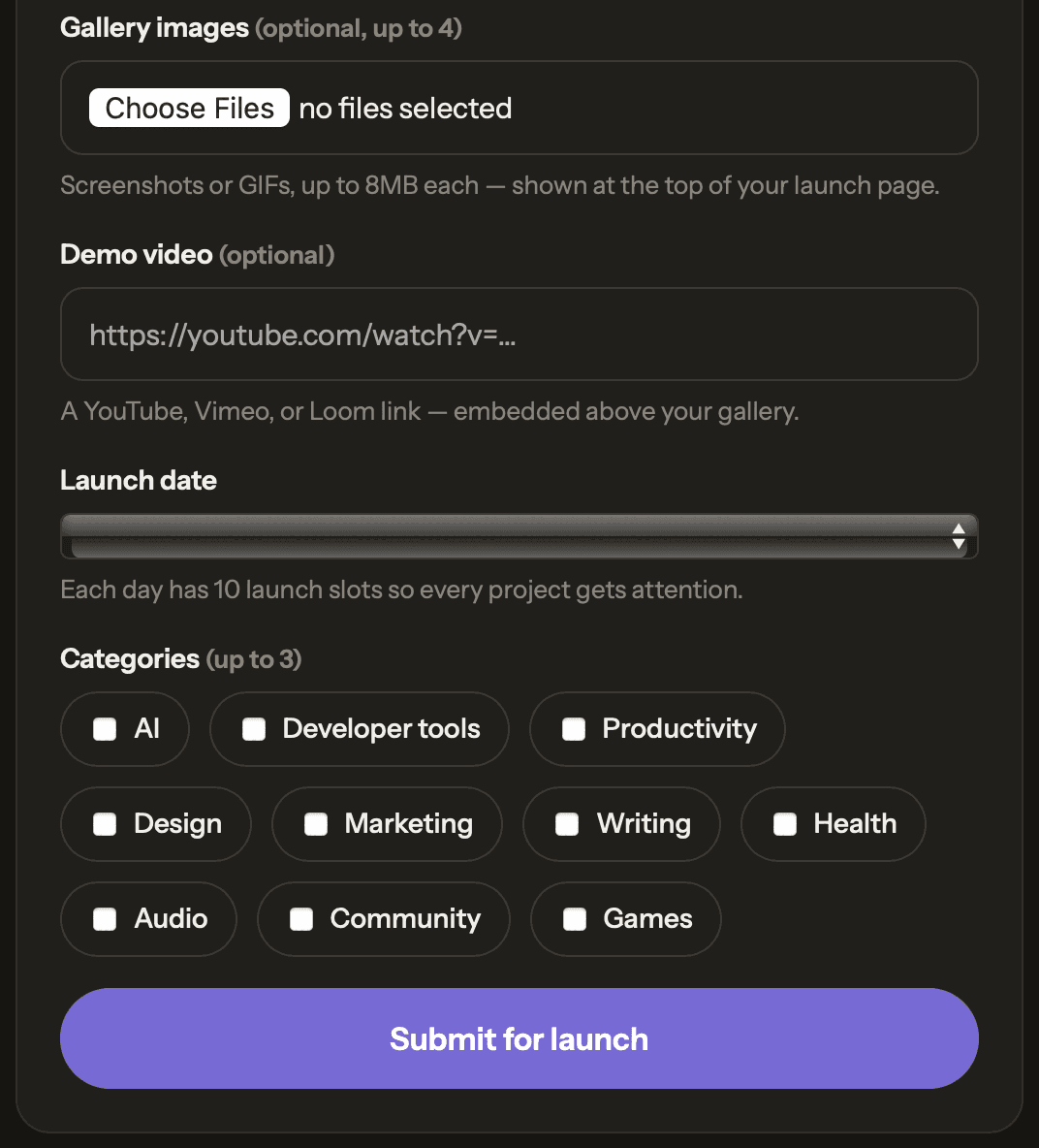
| Gallery images | Optional; up to 4 screenshots or GIFs, at most 8MB each |
| Demo video | Optional; a YouTube, Vimeo or Loom link, shown above the gallery |
| Launch date | A drop-down; free launches take their day from the queue |
| Categories | Up to 3 of 10, from AI to Games |
Free launches join a queue for their day on the home page, which the pricing page expects to come "usually within a few weeks". The project page does not wait for it. In our experience it is published at once, and every page still waiting for its launch day already carries both followed links to the product.
sideprojects.net at a glance
| What you get | sideprojects.net |
|---|---|
| Price to launch | Free; Skip the line is $29 once |
| Where to submit | Submit project, after a free sign-up |
| What the form asks | Nine fields, three marked optional |
| Required on your site | Nothing; no badge or link back |
| Project page | Permanent, live before its launch day |
| Launch day | On the home page, one of ten that day |
| Links to your site | Two followed: 1,516 of 1,516 on 758 pages |
| Directory size | 6,408 project pages since October 2024 |
| Domain Rating | 21 (Ahrefs, through our checker) |
| Filed for you by Submitator | Free route, About written, from $29 |
Sources, all read on 11 October 2026: sideprojects.net's home page, /projects/ and a category page, /pricing, the sign-up and log-in pages, robots.txt, the sitemap and llms.txt. The form's labels, notes and ten categories come from screenshots of the live form taken by Submitator's founder that day; its grey sample entries are the form's own placeholders, and the same ten categories appear in the sitemap, the directory filter, llms.txt and on the home page. Size: the sitemap and the site's Newest list, walked to its last page, agree on 6,414 records at 6,408 project addresses, the oldest launched on 8 October 2024. Link census: 758 project pages, taking in every project still waiting for its launch day (288), the ten launching on 11 October and 120 spread evenly over the whole list. Each page has one Visit site button and one Website link to the product, and all 1,516 carry rel="noopener" with no other value and point straight at the submitted address; robots directives are absent from every page, in the markup and in the headers alike, and each canonical tag is self-referencing. The same held in a browser render of twenty pages and in four fetches made as Googlebot. Links written into About text carry rel="nofollow ugc noopener", 175 of 175 across 123 pages. Projects whose gallery images reached the site's storage on the morning of 11 October were live at their own addresses and in the sitemap by early afternoon UTC, each with a launch day weeks ahead. Our founder gives "published at once" as Submitator's own experience here (11 October 2026). Prices and plan contents are quoted from /pricing. We looked the domain up on submitator.com/domain-rating-checker, which shows Ahrefs' Domain Rating: 21. Nothing in robots.txt shuts a crawler out. This page was researched without filing a project or paying for anything. Our own side rests on statements by Submitator's founder. Customers are filed to sideprojects.net on its free launch route, and the account its form needs is opened with an email we create for that customer (both 11 October 2026). Descriptions are written for each directory separately, with images cut to fit each one's format. Starter is a single $29 payment for thirty directories, which the customer ticks in the dashboard. Our timing and the replacement for a rejected submission are as our terms state them, and those terms also attach conditions to refunds.
Two followed links, straight to the product
The Visit site button sits in the page header, next to the name and tagline, and the Website line sits in the Launch stats box at the side. Across all 758 project pages measured on 11 October 2026, each link went straight to the address that was submitted, marked rel="noopener" alone: none of them nofollow, sponsored or ugc, and none routed through a redirect.
The pages around them are open to indexing, with no noindex and a canonical tag naming their own address, and the site's robots.txt admits every crawler. The home page, the Free card and llms.txt all promise a do-follow backlink, and the pages keep that promise.
Sign up, then press Submit project
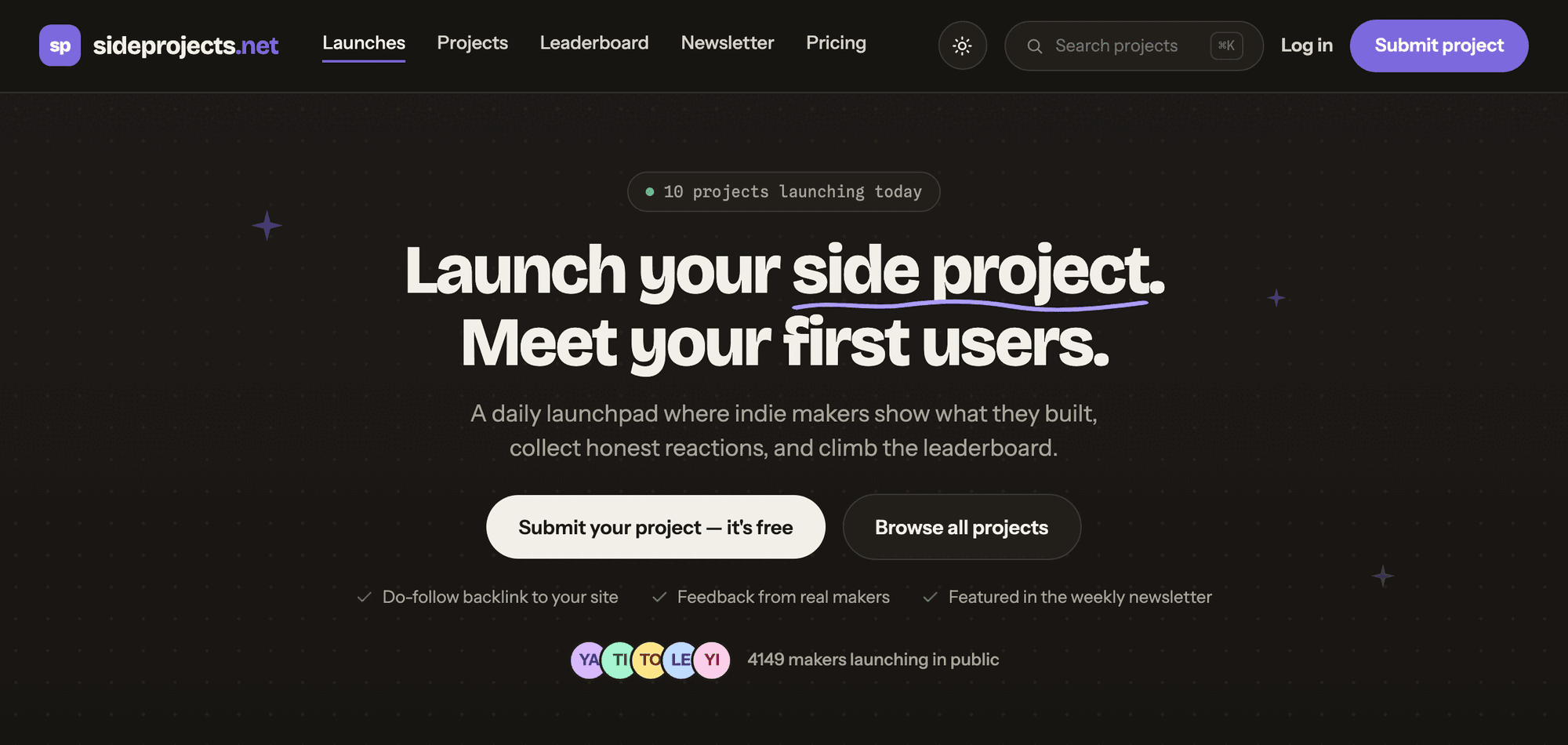
The form lives at sideprojects.net/projects/submit and opens once you are signed in; signed out, that address sends you to the log-in page first. Submit project in the header leads there, as do the Submit your project button on the home page and Join the queue on the Free card.
Sign-up is free: a username, an email and a password six characters or longer. Pick the username with care, because each project page prints it as the maker.
The URL you enter is the one both links use
Project URL comes first, and the note under it says what the site does with it: "We'll fetch your favicon and social image automatically." Both followed links on your page will point at exactly that address, so enter the page you want visitors to land on.
The site adds no tracking tag of its own. To see those visits tagged in your analytics, add your own utm parameters to the address. Check your social image before you submit as well: with no gallery uploads, the image fetched from your site is the picture at the top of your page.
Name becomes the page heading and the start of its title tag. Page URL is optional; left blank, the address is built from the name, and a number is added when that address is already taken. If your name is a common word, set the address yourself: lowercase letters, numbers and dashes after sideprojects.net/projects/.
One sentence, four jobs
The tagline note asks for "One sentence, no marketing fluff" and calls it "what shows in the list". The same sentence also becomes, word for word, the page's meta description, the second half of its title tag and the line on the share card the site draws for every project.
So write it for a stranger who has never heard of you: the job the product does and the people it does it for, plainly. It is the text search engines can show under your title and the line anyone browsing the Newest list reads beside your name.
About: what it does, who it is for, what you want to hear
The About box takes Markdown, so bold, italics, links and lists all render under About this project on your page. Its placeholder suggests an order worth keeping: "What it does, who it's for, what you'd like feedback on..." Members can react and comment on every page, and a closing line on the feedback you want gives them a place to start.
Links typed into the About are marked nofollow ugc. The two links the page gives your product are followed either way, so use the About for readers rather than for extra backlinks.
Images, a demo and up to three categories
Up to four gallery images go at the top of the page, "Screenshots or GIFs, up to 8MB each", and a YouTube, Vimeo or Loom demo sits above them. Both are optional. Without uploads, the page shows the social image fetched from your site instead.
Categories take up to three of ten: AI, Developer tools, Productivity, Design, Marketing, Writing, Health, Audio, Community and Games. Each one you tick lists the project on that category's page, alongside its place in the Newest list.
Your page now, your day on the home page next
The form opens with its own summary of the free route: "Free launches join the review queue. Want a specific date? Skip the line." The Free card on the pricing page adds the timing: "Join the queue and launch when a slot opens, usually within a few weeks."
What that queue sets is the launch day. In our experience the project page is published at once, and pages that have not had their day yet already sit in the sitemap, the Newest list and the categories they chose.
On its day the project joins the home page's Launching today list, one of ten: "Each day has 10 launch slots so every project gets attention." The list is ranked by unique reactions, and the top three win a badge at midnight UTC.
The Launch date field is a drop-down, and on the free route the day comes from the queue, as the pricing page says: "Every project gets a free launch slot from the queue." Choosing a date of your own is what Skip the line sells.
What paying adds
Nothing on the free route needs paying for, and the pricing page spells out what each paid option buys. Skip the line, "$29 one-time", adds "Pick any open launch date", "Included in the weekly newsletter" and "Launch-day checklist and support". Relaunch, $15 once, gives a project you have already launched a second day on the home page.
Makers who ship often can take SideProjects Pro at $8 a month or $79 a year. For reach beyond one launch there is a Newsletter sponsor slot at $150 an issue, a Featured spot at $99 a week and a written Project review at $120. Our customers go through the free launch.
Our side: the free route, written for sideprojects.net
Customers who choose sideprojects.net in their dashboard are submitted through its free launch route. The About is written for sideprojects.net alone, rather than reused from another directory, and the images are cut to the format its gallery takes. The account the form sits behind is opened with an email we create for that customer.
On timing, our terms speak plainly: the goal is to have every directory in your package submitted within 2 to 3 days, and the ceiling is 21 days after you buy. Should any directory reject a submission, your selection grows by one and you choose the replacement.
sideprojects.net review: launch here and put the work into the tagline and About
Launch here. The free tier is real, and the link is what the site says it is: followed, twice, with nothing in between. A free launch gets you a permanent page with room for Markdown, four images and a video, a share card drawn for you and a day among just ten on the home page, while the leaderboard, Face-off and Discover put projects in front of visitors in other ways.
The tagline travels to the list, the title tag and the share card, and the About is what a visitor reads once they arrive. Those are the two fields to spend time on.
How to submit to sideprojects.net, step by step
- 1
Create a free account
Sign up at sideprojects.net/register with a username, an email and a password of six characters or more. The username is shown on your page as the maker.
- 2
Press Submit project
It sits in the header, and the home page has a Submit your project button too. Both open the form headed “Launch your project”.
- 3
Enter the Project URL
Use the exact page you want visitors to reach. Both followed links will point at it, and the favicon and social image are taken from it.
- 4
Name the project and check the address
The name heads the page. Leave Page URL blank to build the address from the name, or set your own in lowercase letters, numbers and dashes.
- 5
Write the tagline and the About
One plain sentence for the tagline, which also becomes the page's meta description. Then the About in Markdown: what it does, who it is for and the feedback you would like.
- 6
Add images, a demo and categories
Up to four screenshots or GIFs of 8MB or less, an optional YouTube, Vimeo or Loom link and up to three of the ten categories.
- 7
Leave the launch day to the queue
Free launches take their slot from the queue. Picking a date of your own is what Skip the line, $29 once, is for.
- 8
Press Submit for launch
In our experience the page is published at once, and its day on the home page follows from the queue.
- 9
Or choose sideprojects.net in your Submitator dashboard
We submit it on the free route, with the About written for sideprojects.net and your images cut to its format, as part of your plan.
$0 here. $29 for the thirty you have not filled in yet.
One payment, every directory named in your dashboard with its Domain Rating on the card, text written for each one and the ones you tick filed for you.
Free launch, followed links. $0 here, $29 for thirty.
sideprojects.net launches indie projects free, ten a day, each on a permanent page whose Visit site button and Website line each point to the product, both followed. In our experience the page is published at once, with its home-page day following from the queue. Our part is the About, the images fitted to its gallery and the free launch itself. The whole catalog.
FAQ
How do I submit to sideprojects.net?
Create a free account at sideprojects.net/register with a username, an email and a password, then press Submit project in the header. Fill in the form headed “Launch your project”: your project URL, a name, a one-sentence tagline, an About in Markdown, any images or demo video you want to show, a launch date and up to three categories. Then press “Submit for launch”.
Is sideprojects.net free?
Yes. The Free launch card costs $0 and lists “Homepage listing on launch day”, “Do-follow backlink” and “Permanent project page”. Your own site owes it nothing: no badge to display, no link to return. The paid options buy timing and reach: Skip the line is $29 once and lets you pick any open launch date, and Relaunch, at $15, gives a launched project a second day.
Is the sideprojects.net link dofollow?
Yes, and there are two of them. Every project page links to the product from its Visit site button and again from the Website line in its Launch stats box. Across 758 project pages read on 11 October 2026, all 1,516 of those links carried rel="noopener" alone and pointed straight at the submitted address, on indexable pages whose canonical tag names the page itself. The site promises as much in its llms.txt: “Launching is free and includes a do-follow backlink.”
Does sideprojects.net review projects before launch?
Its form says “Free launches join the review queue.” and the pricing page says a free launch goes out “when a slot opens, usually within a few weeks.” In our experience the project page itself is published at once; the queue sets the day it spends on the home page. To choose that day yourself, Skip the line costs $29.
How many projects launch on sideprojects.net each day?
Ten. The form puts it this way: “Each day has 10 launch slots so every project gets attention.” The home page ranks each day's launches by unique reactions, and a badge goes to the top three at midnight UTC.
What does the sideprojects.net form ask for?
Nine fields, three marked optional: Project URL, Name, Page URL (optional), Tagline, About, Gallery images (optional, up to 4), Demo video (optional), Launch date and Categories (up to 3). There is no logo field, because the favicon and social image are fetched from your URL, and no field asks for a badge or a link back.
Which categories does sideprojects.net have?
Ten: AI, Developer tools, Productivity, Design, Marketing, Writing, Health, Audio, Community and Games. A project can take up to three, and it is listed on the page of each one it takes.
What is sideprojects.net's Domain Rating?
21. That is Ahrefs' rating, which our checker fetched on 11 October 2026, and robots.txt lets every crawler through, AhrefsBot among them.
Does Submitator submit to sideprojects.net?
Yes, on its free launch route. Tick sideprojects.net among your directories and the form is filled in for you, with an About written for this site alone and your images cut to its format. Starter, at $29, covers thirty directories, and sideprojects.net counts as one of them.
More submit-to guides.
sideprojects.net is free. Thirty directories are $29, each one measured.
One payment. Each directory is named with its Domain Rating on the card before you choose it, badges are installed and kept live where one is wanted and a rejection is swapped for another directory.