
Free on a DR 50 Domain: Your Own Page, Two Followed Links.
Submitator puts customers on PromoteProject through the free route. The form, the profiles and the counts below were read on promoteproject.com on 11 October 2026.
PromoteProject describes the people behind it as "a small team of passionate developers who know very well the difficulty of promoting and publicizing new businesses and startups." From Madrid, they run a startup directory that held 48,034 startups in 24 categories on 11 October 2026, on a domain Ahrefs rates DR 50. Adding yours is free, and neither the form nor the rest of the site expects a badge, a link back or a payment from you.
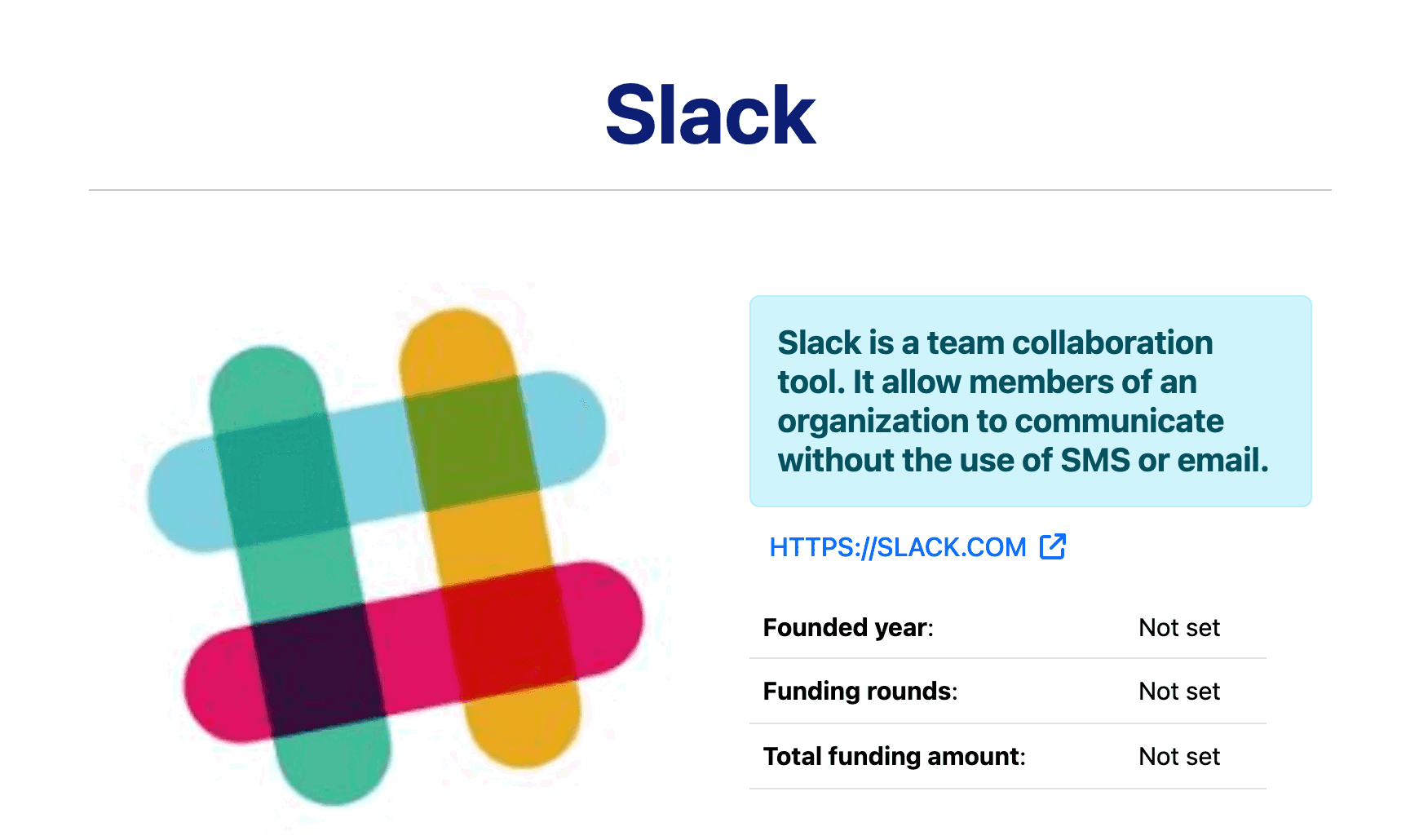
What a listing gets is a profile page of its own. Your startup's name sits at the top as a heading that links to your site, and your address, printed under the short description, links there a second time. No rel attribute sits on either, which leaves both followed, and each goes straight to the address you gave, with nothing in between.
Your card carries the same link onto the Latest Startups list, your category's page and the tag page of every keyword. Profiles that share a keyword also list related startups, with a link to each one's site. In our experience, what we file there is published at once. Twenty fields stand between you and all of that, and when you pick PromoteProject, we fill them in and write the descriptions.
| Field | What it does |
|---|---|
| Home Page | Required; both profile links and your card link open it |
| Startup Name | Required; your heading, page title and card title |
| Short Description | Required; beside your logo, on your cards and first in the meta description |
| Full Description | Required; the Description section, as plain text |
| Keywords | Required; “2 or 3 words separated by commas”, each one a tag page |
| Founded Year | Required; a dropdown preset to 2000 |
| Country | Required; on the profile and in its page title |
| Select Category | Required; one of 24 categories, each with its own page |
| Logo or main image | Required; shown beside the short description |
| Awards | Optional; printed under Awards and Recognitions |
| Funding fields | Optional; amount, rounds and a “Need funding?” switch for the profile table |
| Social profiles | Optional; LinkedIn, Facebook and Instagram, each a followed link |
| Not displayed | Optional; Services, Total Employees, Stage and a headquarters address |
| Button | Submit |
The profile is one of several pages that link to you. Your card, whose address line points directly at your site, appears on the Latest Startups list, on your category's page and on the tag page of each keyword. The Related startups lists on other profiles are made of the same cards. None of those links has a rel attribute: 1,614 cards on the list, 480 on the category pages and 1,043 in Related startups lists, every one followed.
PromoteProject at a glance
| What you get | PromoteProject |
|---|---|
| Price to list | Free; a paid homepage feature is optional |
| Asked of your site | No badge, no link back |
| The form | 20 fields, 9 required, after a log-in |
| Publishing | At once, in our experience |
| Links on your profile | Two, followed: 238 of 238 on 119 profiles |
| Cards linking to you | List, category and tag pages, plus Related startups |
| Social links | LinkedIn, Facebook and Instagram, followed |
| Directory size | 48,034 startups, 24 categories |
| Domain Rating | 50, Ahrefs via our checker |
| Filed for you by Submitator | Free route, form filled and descriptions written, from $29 |
Apart from the Domain Rating and what is said about Submitator, everything here was read from www.promoteproject.com on 11 October 2026, covering robots.txt, the home page, the sitemaps, the About, Help, Terms and Privacy sections, /feature_my_startup, the startup list (81 of its 2,402 pages, 80 of them at an even stride, plus the empty page 2403), all 24 category pages, a tag page and 125 startup profiles. No form was sent, no vote cast and nothing bought. The form opens only after a log-in, so its labels, placeholders and required marks are quoted from our founder's two captures of the blank form, made that day; every field matches a column in the site's public startup data and, wherever a profile displays it, what live profiles show. The one length given, 200 characters for the short description, is measured: no live short description is longer, and 14 of the 119 census profiles sit between 196 and 200, some cut mid-word. The link census covers 119 profiles: the 40 newest and 80 spread evenly across the list, one profile falling in both. Each links its startup from the name heading and the address line, directly to the saved address with no rel attribute and nothing appended (238 of 238); the LinkedIn, Facebook and Instagram links are plain as well (30 of 30 on 16 profiles), and descriptions render no links at all, typed addresses included. No profile carries nofollow, sponsored, ugc or noindex in any form, whether in a meta tag or a response header, and every one points its canonical tag at itself. Re-fetched as Googlebot, five profiles came back identical to the ordinary fetch apart from per-request tokens, and 15 pages rendered in a browser (12 profiles, the list, a category page and the tag page) showed the same links. Card links carry no rel either: 1,614 of 1,614 on the list pages read (two saved without a scheme resolve on promoteproject.com), 480 of 480 across page 1 of every category, 20 of 20 on the tag page and 1,043 of 1,043 in Related startups lists on 78 profiles, every one sharing at least one tag with the profile it sits on; none of the 36 census profiles without tags has the list. The directory counter read 48,034 at 13:15 UTC, which the pagination confirms (page 2402 holds 14 startups, page 2403 none); it read 48,035 when the header screenshot was taken at 13:56 UTC. The category pages count more between them because they also take in a second kind of record that the main list leaves out, such as links to articles sent in 2016. The 24 categories are identical in the list filter, the categories sitemap and the cards. Founded year 2000 shows on 17 of the 119 profiles. Services, Total Employees, Stage and the headquarters address show on none of them, nor on three further profiles whose public data holds those values; Awards and Recognitions shows on 3. Logos are stored 480 pixels tall with their proportions kept (8 of 8 checked). The site sets out no review step or timescale; "published at once" reports what Submitator has seen when filing there, as our founder stated on 11 October 2026. The paid feature's wording and prices come from /feature_my_startup. The profile screenshot shows /startup/1/slack, the site's first listing. The Domain Rating, 50, is Ahrefs' figure for promoteproject.com, as reported on 11 October 2026 by the checker we run at submitator.com/domain-rating-checker. Crawlers are kept out of nothing but some article, forum and related-content paths. Submitator's own claims rest on our founder: PromoteProject is filed for customers through its free route (said on 11 October 2026), and we write fresh descriptions for every directory, never one copied from another. Prices are one-time: thirty directories for $29 (Starter), sixty for $49 (Growth) or a hundred for $79 (Scale), picked one by one in the dashboard. Our terms put the target for a package at 2 to 3 days and the furthest commitment at 21 days after purchase; a rejection is replaced by one extra directory of your choosing, and any refund depends on what our terms lay down.
A profile of your own, linked twice
Every startup gets its own address on the site, /startup/ followed by a number and the name. Your startup's name opens the page as a large heading, and it links to your site. Your logo comes next, then the short description in a highlighted box and, under it, your address in capitals, which links to your site again.
Both links are plain anchors that open the exact address you saved: no rel attribute, no redirect and nothing appended. Nothing on the page asks search engines to stay away, and the canonical tag points back at the page. Further down come a table with your founded year, country and funding, then the Description section. Awards and Recognitions and your social links follow when filled in. After them sit the category and your tags as buttons, next to share buttons for Facebook, Bluesky, LinkedIn and email.
One button, top right
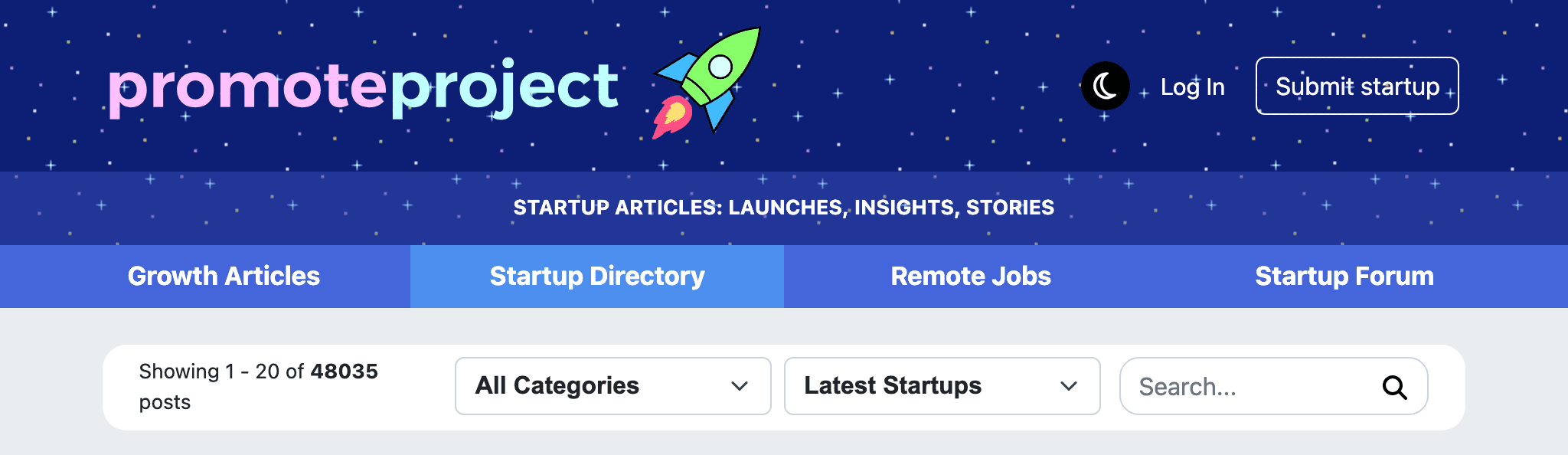
Every page of the site carries Submit startup at the top right, beside Log In, and that button is the way in. The form lives at promoteproject.com/submit-startup and asks you to log in first, with Google or with an email and password.
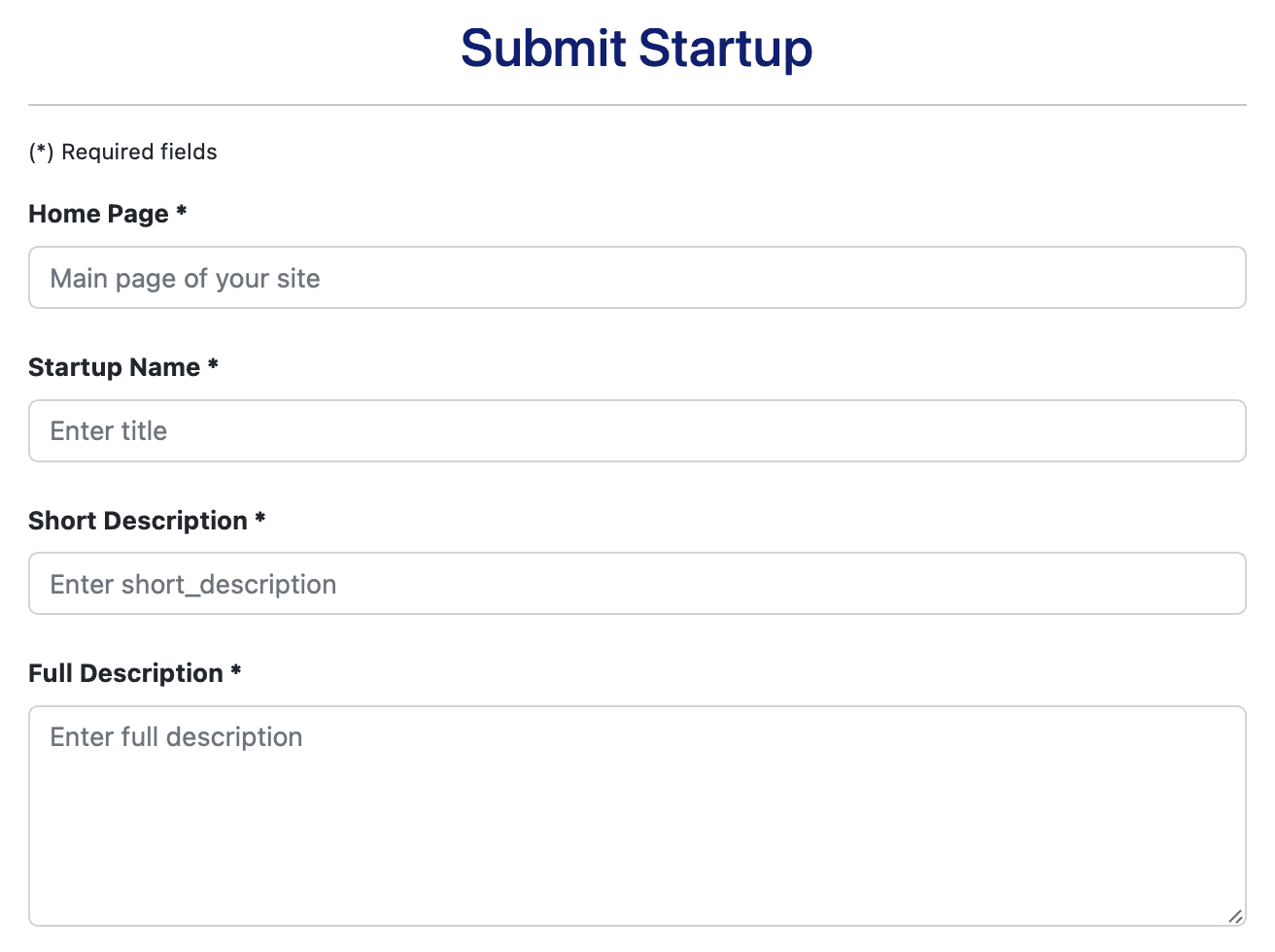
It is one long page headed "Submit Startup", under the note "(*) Required fields". Nine of the twenty fields carry that asterisk, and two of the nine are descriptions you write yourself, one short and one long.
Four fields that build the page
Home Page comes first, with the placeholder "Main page of your site". Whatever you type there is what the name heading, the address line and every card link to, unchanged. Type the address in full, https:// included. Of the 1,614 list cards checked, 1,612 carry a full address with its scheme, and the two saved without one lead back into promoteproject.com instead.
Startup Name, placeholder "Enter title", becomes your heading, the first words of the profile's page title and the title on your cards.
Short Description is the busiest field on the form. It fills the highlighted box beside your logo and gives your cards their text under your name. Your profile's meta description begins with it too, followed by two short sentences the site adds, one naming your category and the other your startup. No live short description runs past 200 characters, and some that reach 200 stop mid-word, so write one plain sentence well inside that.
Full Description fills the Description section, in plain text. Line breaks survive; links and formatting do not, so a typed address shows as text and markdown asterisks stay asterisks. Write it in short paragraphs that cover what the product is for, how it works, who it serves and the price.
Keywords, the year and four fields that stay hidden
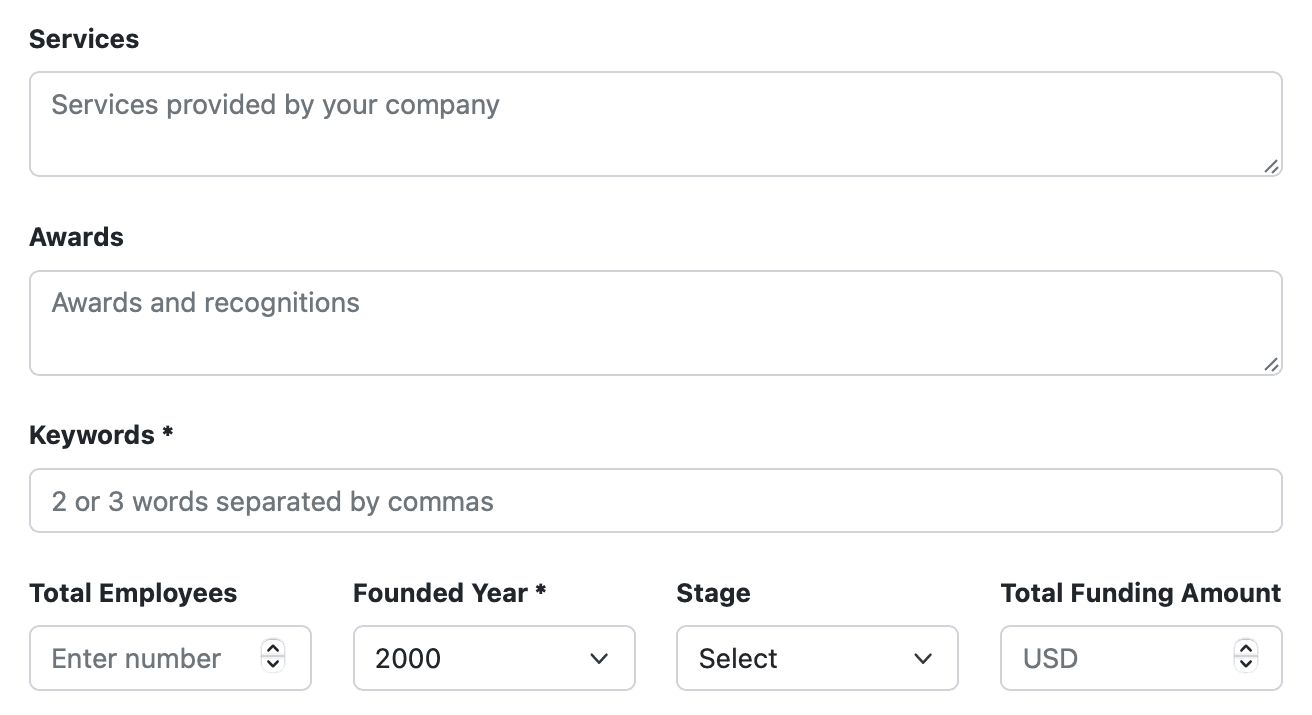
Keywords asks for "2 or 3 words separated by commas", and each word becomes a tag. On your profile and on your cards a tag is a button, and it opens a page listing every startup with that tag, newest first, each card with a followed link to its site.
Tags on recent listings are single words or hyphenated ones such as developer-tools, never phrases with spaces. Choose two or three specific words a buyer might search for, and hyphenate a phrase that has to stay in one piece.
The keywords also choose your neighbours. Each of the 1,043 related-startup cards on the profiles checked shared at least one tag with the profile it sat on, and none of the 36 profiles without tags had a Related startups list at all. Pick the words with that in mind: they decide which profiles can carry your card.
Founded Year is required and arrives set to 2000. Change it before you submit, because the profile prints whatever is saved, and 17 of the 119 profiles checked read 2000.
Services, Total Employees and Stage are optional and appear nowhere on the profile, and the same goes for the headquarters address further down. Awards does appear, as a section headed Awards and Recognitions, so save it for real ones. Total Funding Amount fills the Total funding amount row of the profile's table.
Country, category, logo and your profiles
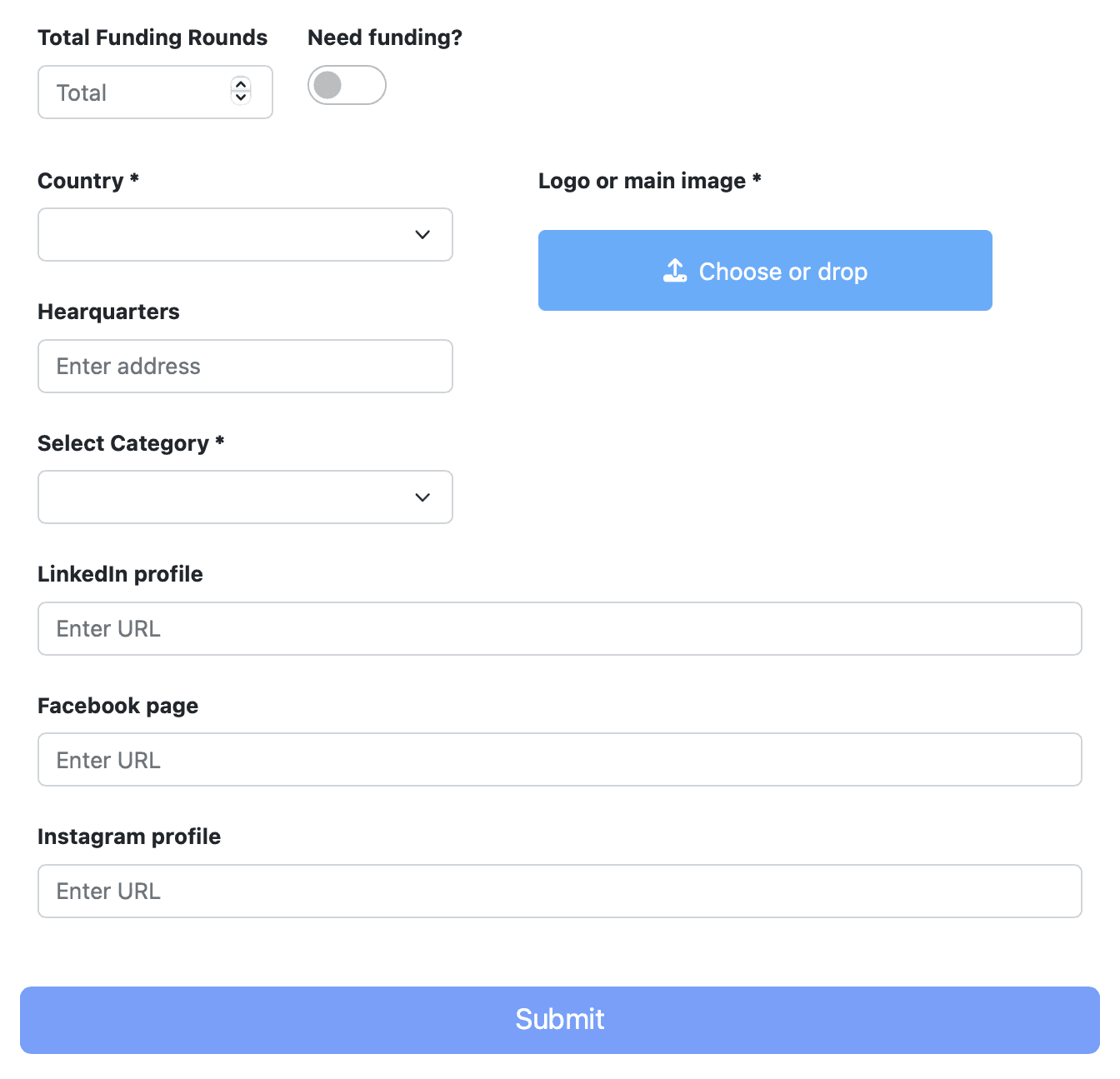
The second half opens with Total Funding Rounds and a "Need funding?" switch, which adds a row reading Looking for funding: Yes to your table when it is on. Country is required, and it shows in the table and in the profile's page title.
Select Category takes one of the site's 24 categories, among them Software as a Service (SaaS), Marketing and Education. Your card joins that category's page, newest first, and the category appears as a button on your profile.
Logo or main image is uploaded through the Choose or drop button. The site stores it 480 pixels tall with its proportions kept and shows it beside your short description, so a clear square or landscape logo suits it best.
Last come LinkedIn profile, Facebook page and Instagram profile. Each one you fill in appears on the profile under LinkedIn:, Facebook: or Instagram: as a followed link, so give the real company pages. Then press Submit.
Twenty fields, filled in by us
Make PromoteProject one of your picks and we fill in the form for you, with descriptions written for PromoteProject rather than lifted from some other listing, then send it in through the free route. Your report then gives you a direct link to the live profile and a screenshot of it, as it does for every submission.
On timing, our terms set a target of 2 to 3 days for your whole package and a ceiling of 21 days from purchase. If any directory turns a submission down, you get one more to pick in its place.
PromoteProject review: a strong free listing
List it. For one form you get a free profile on a DR 50 domain, a pair of followed links to your site and a card on the list, on your category's page and on one tag page per keyword. None of it costs a badge or a link from your site. The effort goes into the form itself: twenty fields, with the short description, the keywords and the founded year doing more work than they appear to.
How to submit to PromoteProject, step by step
- 1
Press Submit startup
It sits at the top right of every page. Log in when the site asks, with Google or with an email and password.
- 2
Enter your home page and name
Type the full address with https:// at the front: both profile links and your card link open exactly what you enter.
- 3
Write the short description
One sentence well under 200 characters. It is the text on your cards and the start of your meta description.
- 4
Write the full description
Plain text in short paragraphs. Line breaks stay, while links and markdown are shown as typed.
- 5
Add two or three keywords
Single words, hyphenated where a phrase must stay whole. Each becomes a tag page and steers the Related startups list.
- 6
Set the year, country and category
Move Founded Year off 2000 to the real year, then pick your country and one of the 24 categories.
- 7
Upload the logo and fill what shows
A clear square or landscape logo, then Awards, funding and your LinkedIn, Facebook and Instagram pages if you have them. Services, Total Employees, Stage and the headquarters address stay off the profile.
- 8
Press Submit, then test both links
Once your profile is up, open it and click the name and the address line to make sure each one reaches your site.
- 9
Or leave the twenty fields to Submitator
Pick PromoteProject in your dashboard: we fill in the form, write the descriptions for this directory and send it in on the free route alongside your other picks.
$0 here. $29 for the thirty you have not filled in yet.
One payment, every directory named in your dashboard with its Domain Rating on the card, text written for each one and the ones you tick filed for you.
Free listing, every link followed. $0 here, $29 for thirty.
PromoteProject lists startups for free on a DR 50 domain and asks for nothing on your own site in return. Each listing gets a profile whose name and address line both link to the startup with no nofollow, and its card carries the same followed link onto Latest Startups, the page of its category and the tag page of each keyword. In our experience a listing filed there is published at once. We fill in the twenty fields and write the descriptions: $0 here, $29 for thirty. The whole catalog.
FAQ
How do I submit to PromoteProject?
Press Submit startup, the button at the top right of every page, and log in when the site asks, with Google or with an email and password. The form that opens is headed “Submit Startup” and holds 20 fields, 9 of them required: Home Page, Startup Name, Short Description, Full Description, Keywords, Founded Year, Country, Select Category and Logo or main image. Fill them in and press Submit.
Is PromoteProject free?
Yes. Listing a startup is free, and no page of the site, the form included, calls for a badge or a return link. Its startup list says as much in the description it gives search engines: “Promote your business for free”. The single paid extra, “Feature Your Startup”, puts a startup in a featured position on the homepage for $0.99 a day or $5.99 a week; the free profile's links are followed without it.
Is the PromoteProject link dofollow?
Yes. A profile links your site twice, from your startup's name at the top and from the address line under the short description, both going directly to the address in your Home Page field and neither with a rel attribute. Across 119 profiles checked on 11 October 2026, all 238 of those links were followed: no page used nofollow, sponsored or ugc on them, none was set to noindex and each named itself as canonical. The optional LinkedIn, Facebook and Instagram links are followed too.
What does the PromoteProject form ask for?
Nine required fields: Home Page, Startup Name, Short Description, Full Description, Keywords (“2 or 3 words separated by commas”), Founded Year, Country, Select Category and Logo or main image. Eleven optional ones: Services, Awards, Total Employees, Stage, Total Funding Amount, Total Funding Rounds, a “Need funding?” switch, a headquarters address and the addresses of your LinkedIn, Facebook and Instagram pages.
How long does PromoteProject take to publish a startup?
PromoteProject sets out no review step and no timescale on its pages. In our experience a startup filed there is published at once. Its terms carry the content rules: “We do not allow the publication of sexual, violent or defamatory content. Links related to illegal activities are strictly forbidden.”
Where does a PromoteProject listing appear?
On a profile page of its own, and as a card on four kinds of page: Latest Startups, the main list, which runs newest first; the page of its category; a tag page for each of its keywords; and the Related startups lists that profiles show for startups sharing a keyword. Each card's address line links out to the startup's site with no rel attribute.
How many startups and categories does PromoteProject have?
48,034 startups on 11 October 2026, in 24 categories: Artificial Intelligence (AI), Automotive and Transportation, B2B Services, Blockchain and Cryptocurrency, Consumer Goods, E-commerce, Education, Energy, Entertainment and Media, Finance and Fintech, Food and Beverage, Hardware, Healthcare, Hospitality and Travel, Internet of Things (IoT), Manufacturing and Industry, Marketing, Mixed Reality (AR/VR), Mobile App Development, Real Estate and Property Tech, Social Impact and Sustainability, Software as a Service (SaaS), Software Development and Other. A startup takes one, and the page for that category lists it with a followed link.
What should go in PromoteProject's Keywords field?
Two or three words, as the placeholder says: “2 or 3 words separated by commas”. Make each one a single word, or hyphenate a phrase, since tags on recent listings never contain a space. Every keyword becomes a tag, a button on your profile and card that opens a page of all the startups carrying it, newest first. Keywords also steer Related startups: all 1,043 related cards on the profiles checked shared a tag with the profile they sat on.
What is PromoteProject's Domain Rating?
Fifty, on Ahrefs' scale. Our Domain Rating checker returned that number for promoteproject.com on 11 October 2026. Nothing in the site's robots.txt keeps AhrefsBot or any other crawler away from the profiles, the startup list or the category and tag pages.
Does Submitator submit to PromoteProject?
Yes, on its free route. Once you select PromoteProject in your dashboard, we complete its form and write descriptions meant for this directory and no other, then send the listing along with your other choices. On the $29 Starter plan it counts as one of your thirty.
More submit-to guides.
PromoteProject is free. Thirty directories are $29, each one measured.
One payment. Each directory is named with its Domain Rating on the card before you choose it, badges are installed and kept live where one is wanted and a rejection is swapped for another directory.