
A Free Listing, and a Followed Link Page After Page.
We submit customers to Productivity Directory on its free route. Its form, its Domain Rating and all the listing and link counts below were checked on 11 October 2026.
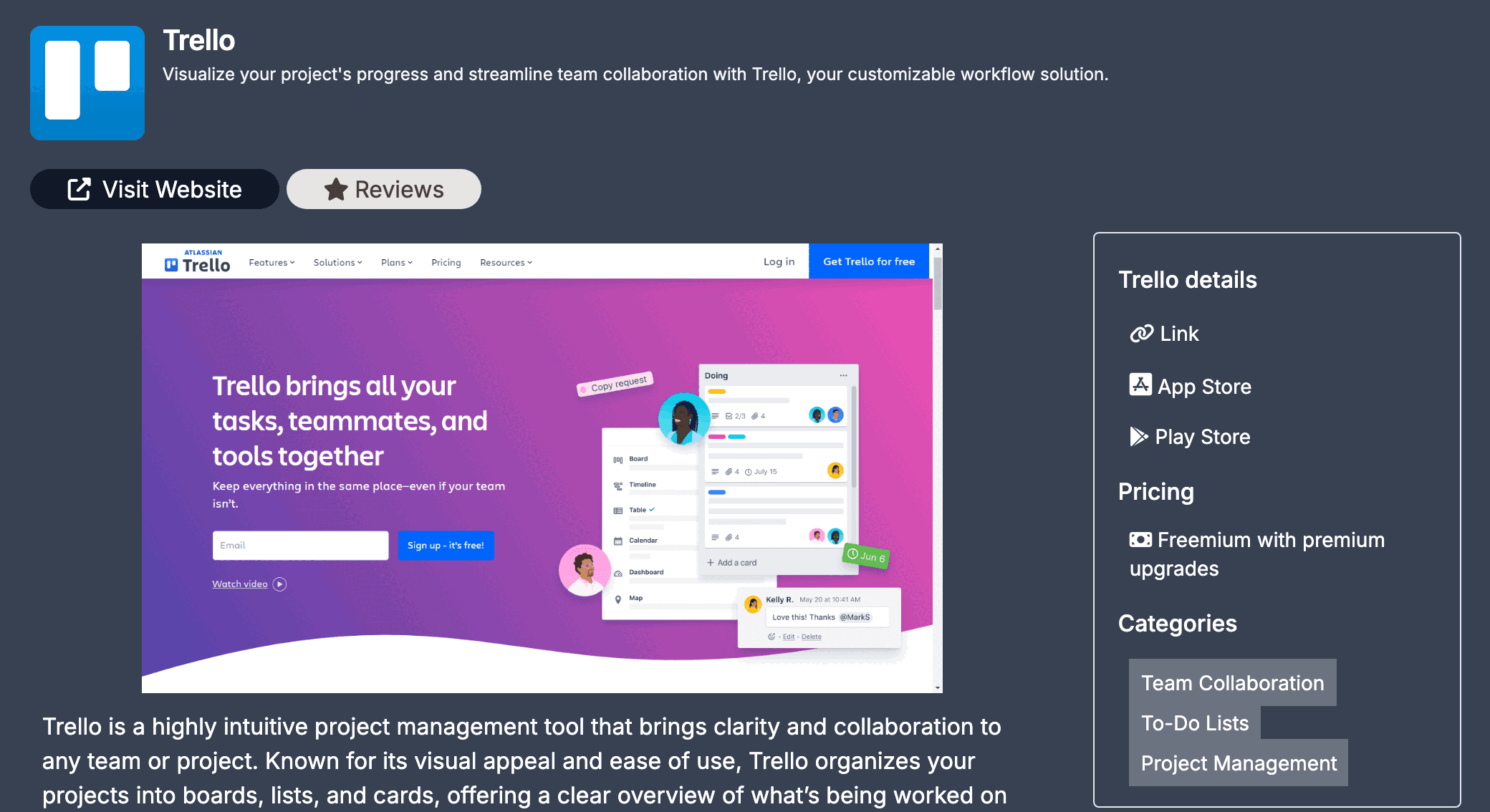
Productivity Directory introduces itself on its home page as "Your ultimate tool finder, providing a curated list of productivity apps and tools designed to enhance your efficiency and streamline your workflow". On 11 October 2026 that list held 416 tools in 39 categories, Todoist, Trello, Asana and Notion among them. Adding yours is free. The form has no plan or price to choose and ends on a single button, Submit for Review, and no badge or backlink is requested anywhere on the site.
Your listing gets its own page on a domain rated DR 41 by Ahrefs, and that page links your product in two places: the Visit Website button under the name and the Link entry at the top of its details box. Both are followed links that open the exact URL you enter, not a redirect, and no rel attribute is set on either. On 11 October all 416 listing pages showed that same pair, 832 links without exception.
The link does not stay on that page: every card that shows your tool across the site carries it too. When customers choose Productivity Directory, this free form is the one we fill in for them, in words written for it rather than recycled.
| Section | What it asks |
|---|---|
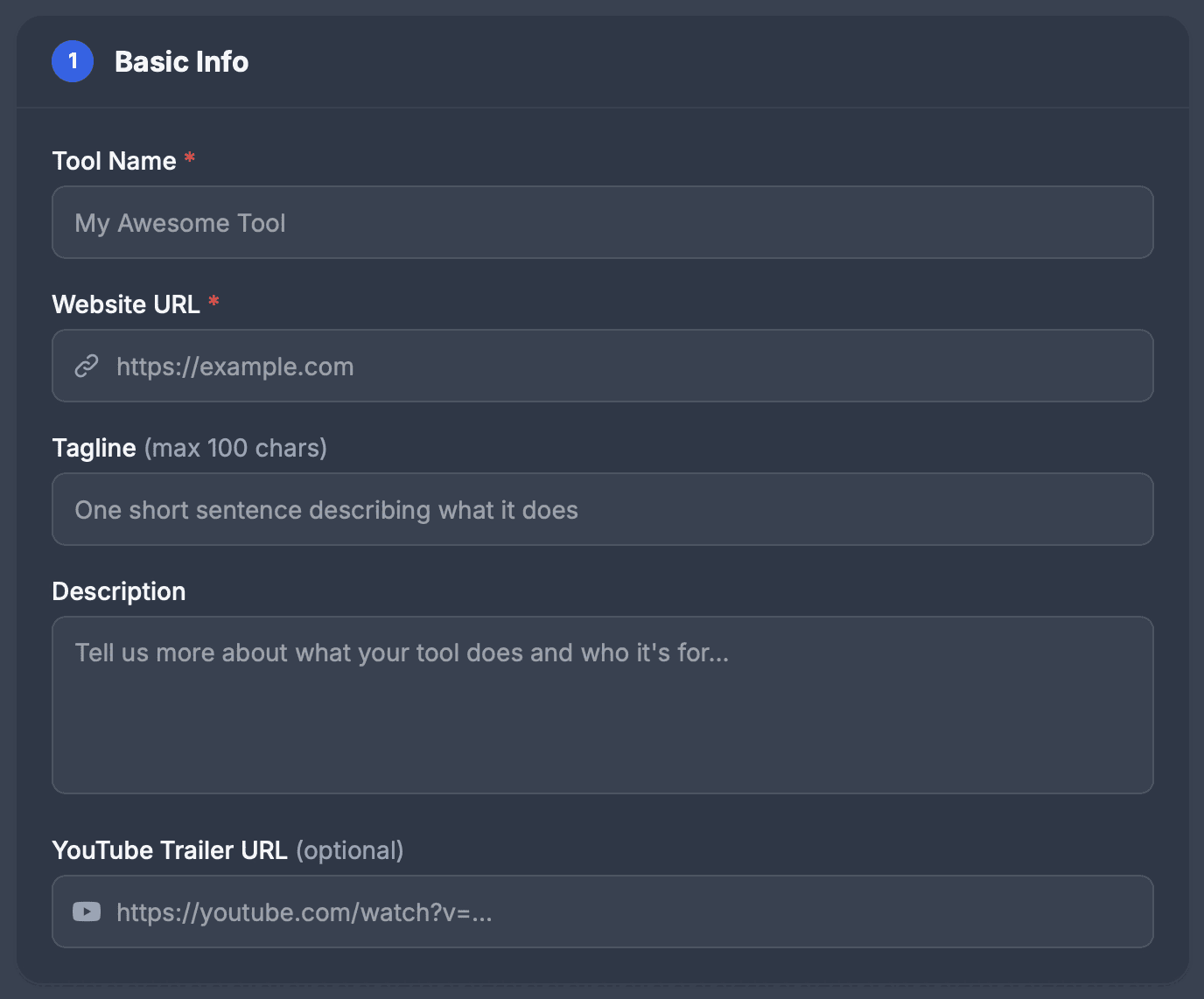
| 1. Basic Info | Tool Name and Website URL, both required; a tagline of up to 100 characters; a description; an optional YouTube trailer URL |
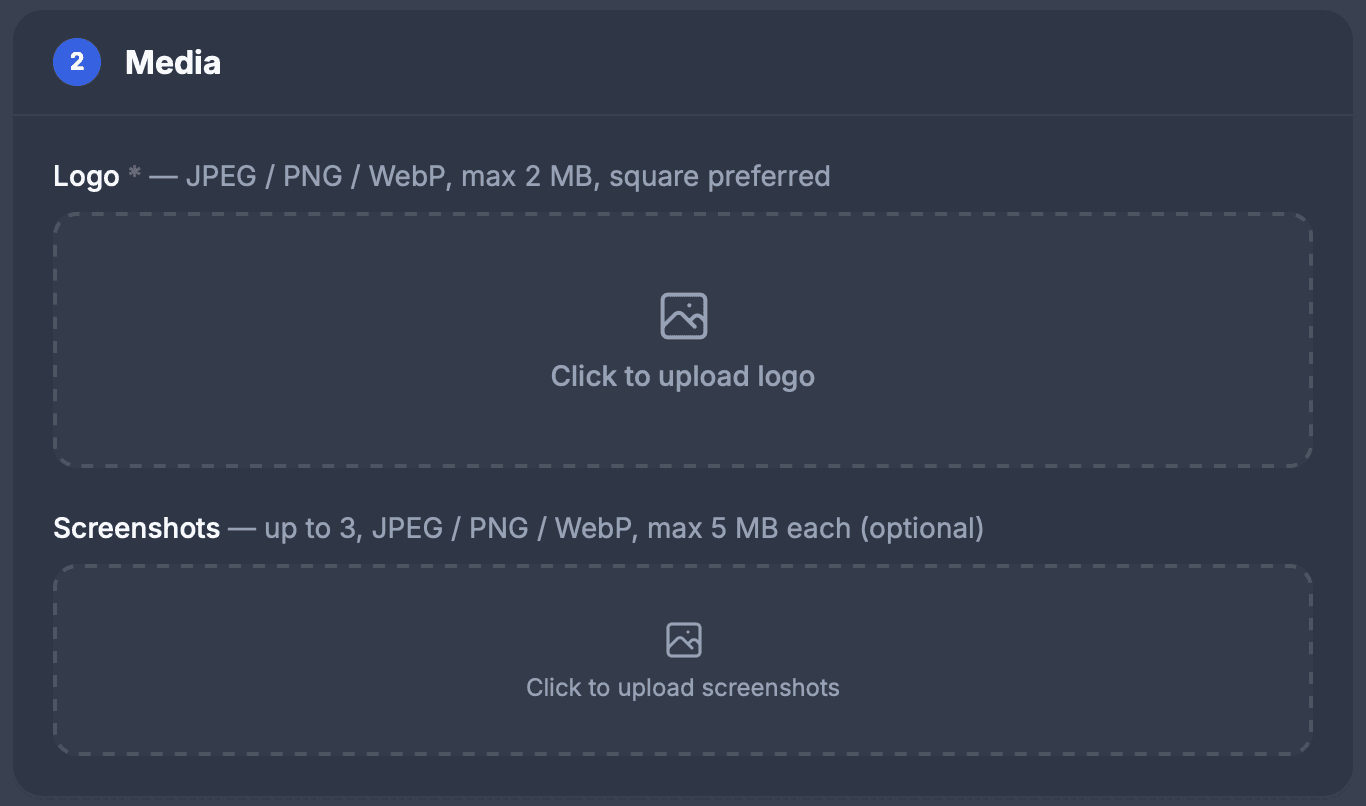
| 2. Media | A logo, required: JPEG, PNG or WebP, up to 2 MB, square preferred; up to three screenshots of up to 5 MB each |
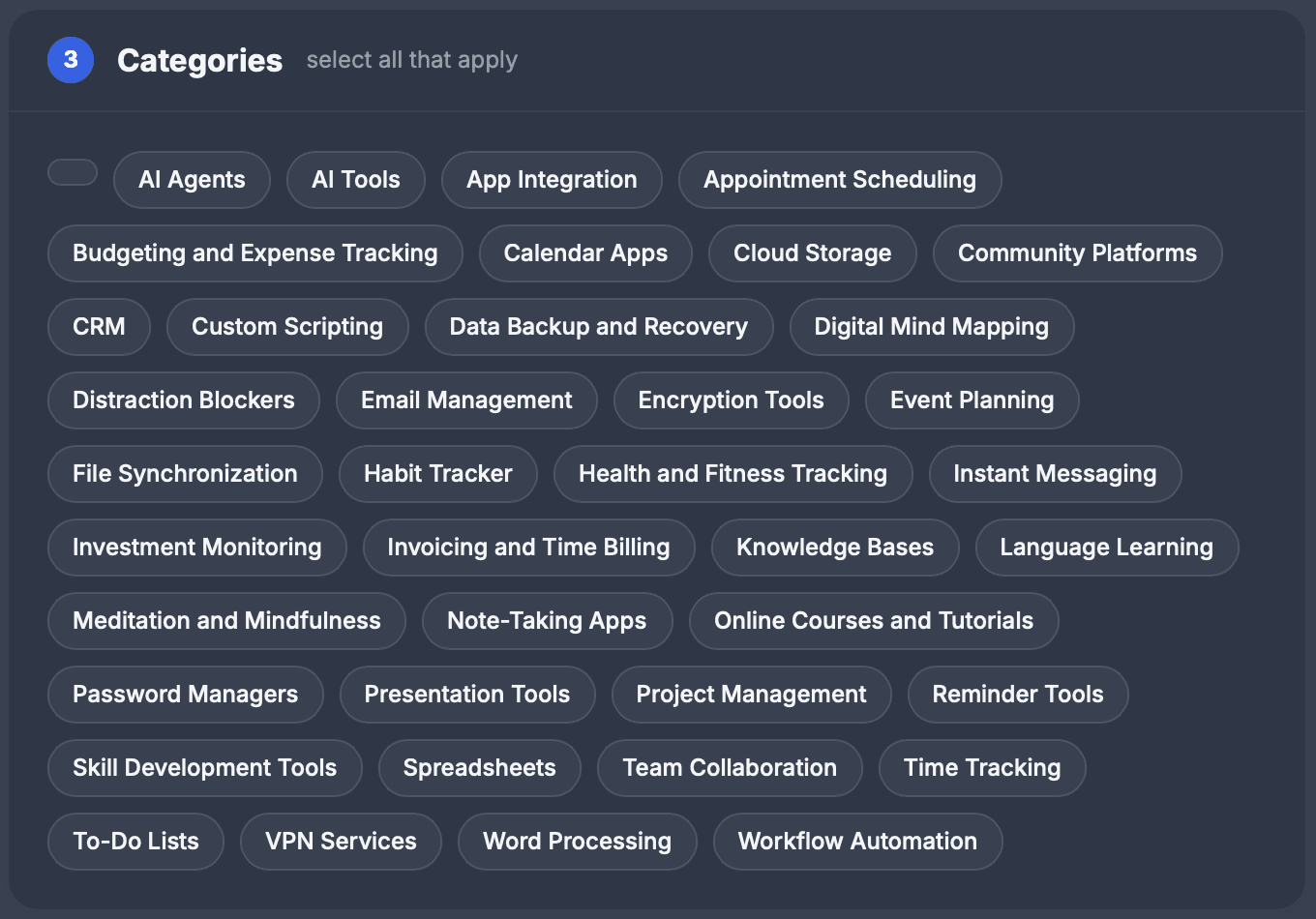
| 3. Categories | Select all that apply, from 39 |
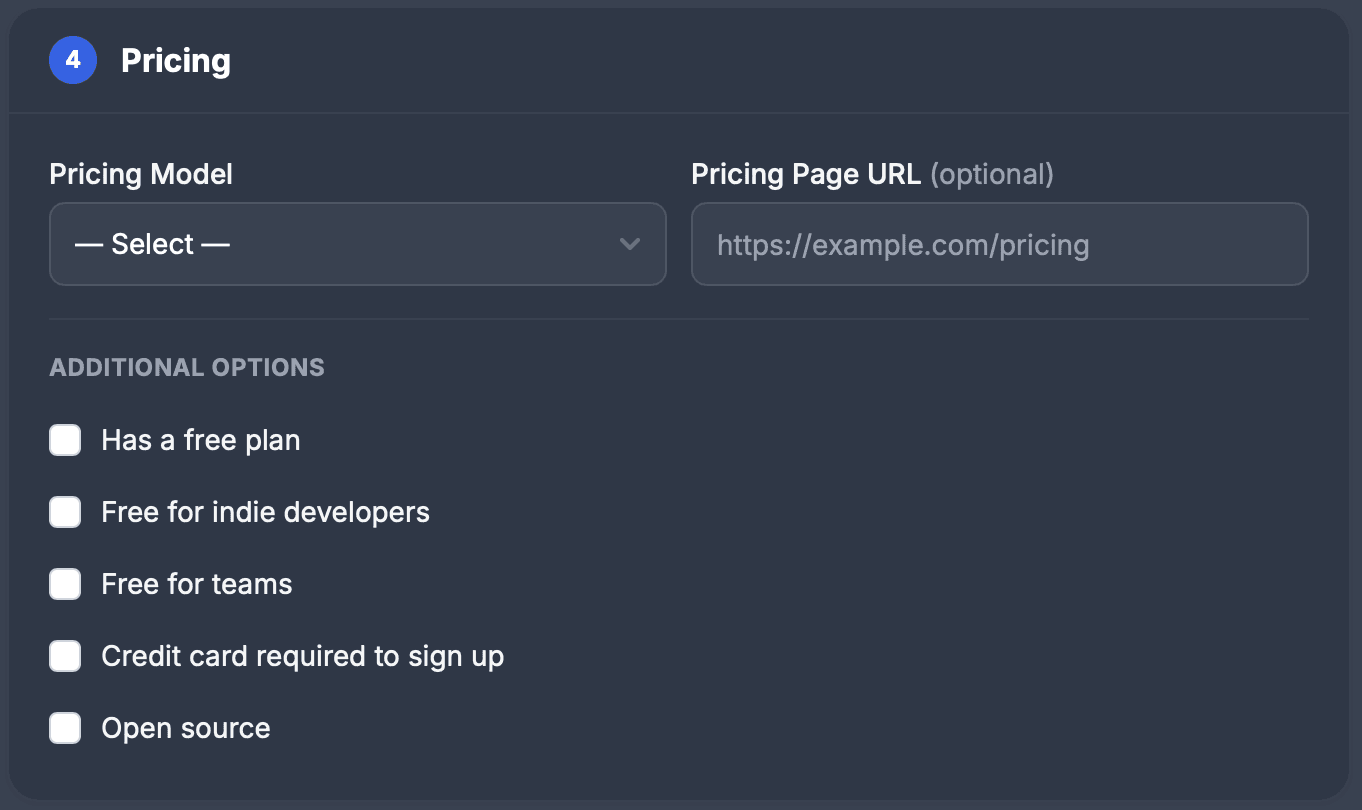
| 4. Pricing | A pricing model, an optional pricing page URL and five checkboxes |
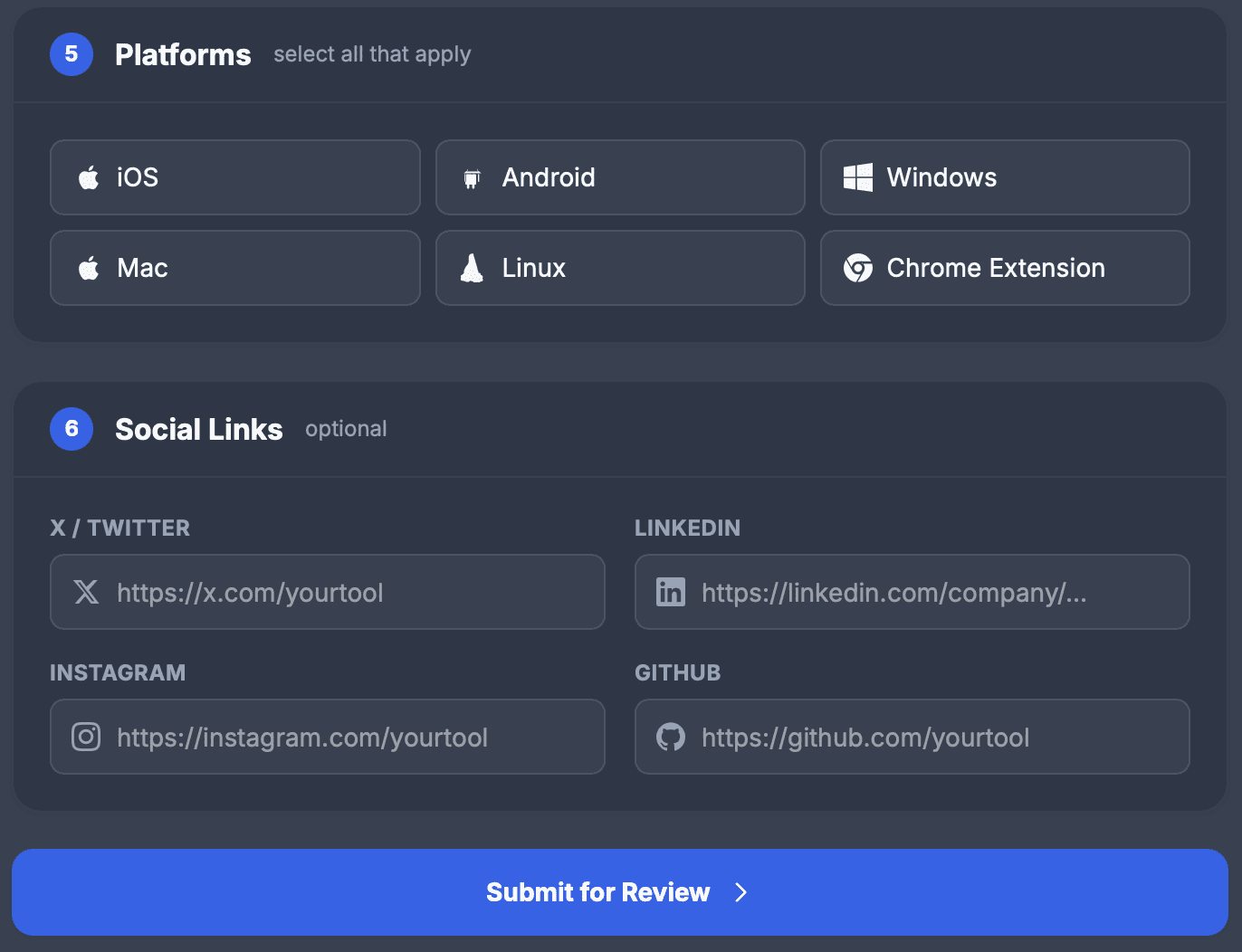
| 5. Platforms | iOS, Android, Windows, Mac, Linux and Chrome Extension; select all that apply |
| 6. Social Links | X / Twitter, LinkedIn, Instagram and GitHub, all optional |
| Button | Submit for Review |
A listing reaches well beyond its own page. Every card that shows it, on its category pages, on Recently Added, on the alternatives pages of tools in the same categories and, for 20 of the categories, on the home page, carries a small icon that links straight to the product, again without a rel attribute. The 458 pages of those kinds carry 12,268 such links between them. Each of the 30 most recent listings is linked directly from between 12 and 167 pages of the site, a median of 34.
Productivity Directory at a glance
| What you get | Productivity Directory |
|---|---|
| Price to list | Free; no plan or price on the form |
| Owed by your site | Neither badge nor backlink |
| Required fields | Three: tool name, website URL, logo |
| Links on the listing page | Two, followed and direct: 832 of 832 |
| Same link on cards | 12,268 on 458 pages, none with a rel |
| Pages linking each of the 30 newest | 12 to 167, median 34 |
| Catalog | 416 tools in 39 categories |
| Domain Rating | 41 on Ahrefs, via our checker |
| Filed for you by Submitator | Copy written for it, free route, from $29 |
Read from productivity.directory on 11 October 2026: its home page, robots.txt, the sitemap at /x/sitemap.xml, llms.txt, the About, Terms, Privacy and Productivity Hacks pages, the sign-in page, Recently Added, every category page and 415 alternatives pages. The form's sections, labels, limits and button are quoted from our screenshots of the live form taken that day, and every part of it that reaches a listing matches what live listings show: the 100-character tagline limit, the same 39 categories in the same order, the platforms and the social profiles. The census covers all 416 listing pages. Each links its product twice, from Visit Website and from Link, directly to the submitted URL with no rel attribute (832 of 832); no page contains nofollow, sponsored, ugc or noindex, sets a robots meta tag or names a canonical, and the 961 App Store, Play Store and other store links on the same pages carry no rel either. On the 458 home, category, alternatives and Recently Added pages the same direct link appears as an icon 12,268 times, never with a rel attribute. Thirty-two listings rendered in a browser and three fetched with a Googlebot user agent carried the same links. Pages linking a listing were counted across its own page, the home page, its category pages, Recently Added and the alternatives pages; for the 30 listings with the highest IDs that came to 12 to 167 pages, median 34, and the medians by number of categories were 27 for one, 48 for three and 90 for five. Two listings carry a Featured badge and sit first on the pages that show them; the site publishes no price or route for it. The double full stop figure counts listings whose meta description repeats the full stop after the tagline. The sitemap and the listing IDs agree on 416 listings, 415 of which appear on category pages; the form, llms.txt and the sitemap agree on 39 categories. submitator.com/domain-rating-checker returned Ahrefs' Domain Rating of 41 for productivity.directory on 11 October 2026. On Submitator's side, our founder states that we submit customers to Productivity Directory on its free route (11 October 2026), that we write a unique description for each directory and that we cut images to each site's format. Plans are one-off payments: Starter $29 for 30 directories, Growth $49 for 60 and Scale $79 for 100, with each directory picked in the dashboard. A rejection earns one more directory of your choice, and refunds are governed by the conditions in our terms.
Start from any Submit link
Every page leads to the form. Submit sits in the header, the home page puts a Submit button under its headline and the side menu carries Submit Yours below the category list; all three open productivity.directory/s/submit. The site asks you to sign in before the form appears and says why: "To prevent spam, some actions require being signed in."
The form runs in six numbered sections: Basic Info, Media, Categories, Pricing, Platforms and Social Links. Three fields carry a red asterisk: Tool Name, Website URL and Logo. There is no plan to pick and no price along the way, only the button at the bottom.
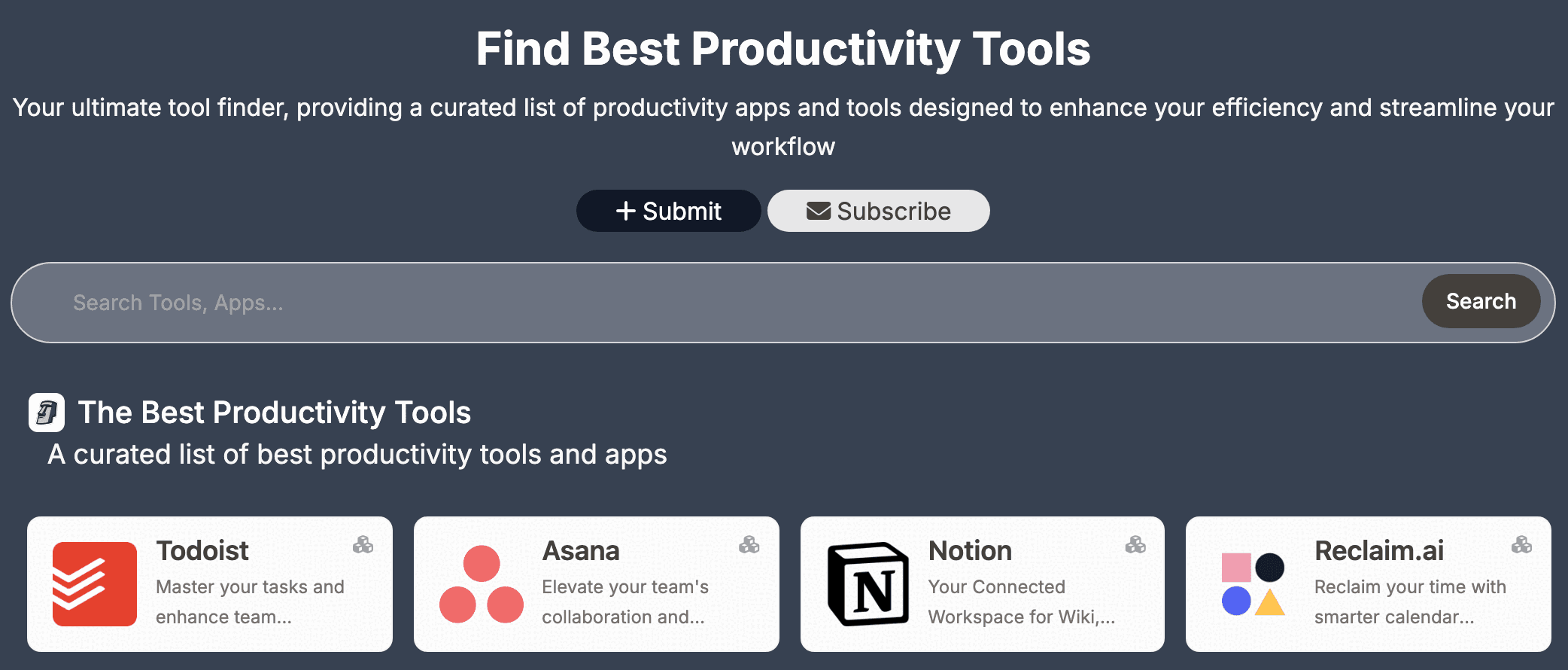
Basic Info: the name, the link and one line
Tool Name opens the listing's page title and appears again in its meta description, so enter the name people search for rather than a slogan. Website URL becomes both links on the listing page and the icon link on every card, exactly as typed. Enter the page you want visits to arrive at, and put a utm tag of your own on it to tell Productivity Directory traffic apart in your analytics.
The tagline takes up to 100 characters and does the most work of any field. It sits under the name on the listing and on every card, and it opens the meta description. Leave the closing full stop off: the meta description adds a full stop of its own after the tagline, so one that already ends in a full stop shows two, as on 212 of the 416 listings.
The description becomes the main text of the listing page, under the screenshot, and its paragraph breaks are kept. Open with what the product does and who it is for, as the placeholder asks, then add the detail a reader wants before clicking through: features, platforms and pricing. The YouTube trailer field is optional.
Media: one logo, up to three screenshots
The logo is the third required field, and its label gives the terms: "JPEG / PNG / WebP, max 2 MB, square preferred". It shows at 80 pixels on the listing and at 40 on home page cards, so a simple square mark that stays legible at the smaller size does better than a long wordmark.
Screenshots are optional, up to three at 5 MB each. A listing displays one of them, large, right under the name and the buttons, so make every image you upload a strong one: the product at work, not a sign-up screen.
Categories: select all that apply
The form's instruction is "select all that apply", and it is worth taking at its word. There are 39 categories, from AI Agents to Workflow Automation, and each one a listing picks does two things. It puts the listing on that category's page, and it adds a card, icon link included, to the alternatives page of every tool in that category.
So the number of pages linking a listing climbs with each category that genuinely fits. Among the 30 most recent listings, those in one category were linked from a median of 27 pages; three categories made it 48 and five made it 90. The home page is part of that count too: it shows 20 of the 39 categories in full, starting with To-Do Lists, Project Management and Time Tracking. Pick every category that truly describes the product, and stop there.
Pricing: the label and five boxes
Pricing Model is a dropdown, and the label you choose is the one the listing prints in its Pricing box. Recent listings show Free, Freemium, Free Trial and Paid; pick the one your own pricing page backs up. Beside it sits an optional field for that pricing page's URL.
Below them are five checkboxes: Has a free plan, Free for indie developers, Free for teams, Credit card required to sign up and Open source. Tick only those that hold for the product today.
Platforms, profiles and the button
Platforms is another select-all section: iOS, Android, Windows, Mac, Linux and Chrome Extension. Social Links, all optional, take X / Twitter, LinkedIn, Instagram and GitHub. Both feed the structured data on the listing page, the markup written for search engines: the platforms are listed as the operating systems the product runs on, after Web, and the profiles as the product's own accounts.
Then comes the one button at the foot of the form, Submit for Review.
The pages that carry your link
Each listing has its own address on the domain, and from there it spreads through cards. Category pages run newest first, after any Featured listing, which puts a new listing near the top of every category it picks. If one of those categories is among the 20 shown in full on the home page, its card appears there too, and Recently Added gathers the 45 newest on one page.
Alternatives pages widen the reach further. Every tool has one, listing the other tools that share any of its categories, and each of those cards carries its own product's icon link. The site also courts AI search: robots.txt welcomes GPTBot, ClaudeBot, PerplexityBot and other AI crawlers by name, and llms.txt, the plain-text summary written for AI assistants, names the 20 newest tools with their taglines.
Six sections, filled in for you
Pick Productivity Directory in your dashboard and the whole form is handled, on its free route. We keep the tagline inside its 100 characters and write a description unique to Productivity Directory. Your logo goes in square and under 2 MB, and every screenshot within the 5 MB limit.
The categories are chosen to match what the product really does, since they decide how many pages carry the link, and the pricing label, platforms and social links are set before the listing goes in with the rest of your picks. Our terms say we aim to submit all your picks within 2 to 3 days, and the latest we commit to is 21 days after purchase.
Should you list on Productivity Directory?
Yes. There is no fee and no badge to place, and a carefully filled form pays off here. The listing's link is followed on its own page and on every card, on a DR 41 domain. Get the tagline, the logo and the categories right: the first two appear on every card, and each category that fits adds pages that carry the link.
How to submit to Productivity Directory, step by step
- 1
Open Submit
Use the header link, the button on the home page or Submit Yours in the side menu, and sign in when the site asks.
- 2
Name the tool and enter its URL
Both are required. The URL, exactly as typed, becomes Visit Website, Link and the icon on every card.
- 3
Write the tagline and the description
Up to 100 characters for the tagline, without a closing full stop. The description can run to several paragraphs.
- 4
Upload a square logo and your screenshots
The logo is required: JPEG, PNG or WebP, up to 2 MB. Up to three screenshots of up to 5 MB each.
- 5
Select every category that fits
Each one adds its category page and a card on the alternatives page of every tool in it.
- 6
Set the pricing, platforms and social links
The pricing label shows on the listing; the platforms and profiles go into its structured data.
- 7
Press Submit for Review
The button at the foot of the form. Nothing on the way asks for payment.
- 8
Or leave all six sections to Submitator
Pick Productivity Directory in your dashboard: the tagline and description are written for it, the images cut to its limits and every other field set, then the listing goes in on the free route with your plan.
$0 here. $29 for the thirty you have not filled in yet.
One payment, every directory named in your dashboard with its Domain Rating on the card, text written for each one and the ones you tick filed for you.
Free listing, every link followed. $0 here, $29 for thirty.
Productivity Directory takes productivity apps and tools for free through one six-section form and asks for no badge or link back. A listing links its product twice from its own page and once more from every card that shows it, all with plain followed links, on a DR 41 domain. The writing and every other field are ours, and the listing goes in with your other picks. The whole catalog.
FAQ
How do I submit to Productivity Directory?
Use any Submit link: the one in the header, the button under the home page headline or Submit Yours in the side menu. The form then runs through six sections: Basic Info, Media, Categories, Pricing, Platforms and Social Links. Three fields are required: Tool Name, Website URL and Logo. Fill it in and press Submit for Review.
Is Productivity Directory free?
Yes. The form has no plan or price to choose and ends on a single button, Submit for Review, and the site prints no price anywhere. Nor does anything ask you to place a badge or a backlink on your own site.
Is the Productivity Directory link dofollow?
Yes. Each listing page links its product in two places, the Visit Website button and the Link entry in its details box, straight to the submitted URL. Neither has a rel attribute, which leaves both followed. On 11 October 2026 that held on all 416 listing pages, 832 links out of 832, and not one page carried nofollow, sponsored, ugc or noindex. The icon link on every card that shows a listing elsewhere on the site is followed too.
Where do listings appear on Productivity Directory?
On a page of their own, then as cards across the site. Category pages run newest first, after any Featured listing. The home page shows 20 of the 39 categories in full, Recently Added holds the 45 newest and every tool's alternatives page carries a card for each other tool that shares one of its categories. The site's llms.txt also lists the 20 newest, each with its tagline.
What does the Productivity Directory form ask for?
Six sections. Basic Info takes the tool name and the website URL, both required, then a tagline of up to 100 characters, a description and an optional YouTube trailer URL. Media takes a required logo (JPEG, PNG or WebP, up to 2 MB, square preferred) and up to three screenshots of up to 5 MB each. After that come 39 categories to choose from, a pricing model with an optional pricing page URL and five checkboxes, six platforms and four optional social links.
Does Productivity Directory review submissions?
By its own wording, yes: the button that sends the form reads Submit for Review. The site sets out no criteria or timescale for that review.
How many categories does Productivity Directory have?
Thirty-nine, from AI Agents to Workflow Automation, and the form says to “select all that apply”. On 11 October 2026 the largest were Project Management with 60 listings, Team Collaboration with 55 and Note-Taking Apps with 43. Every category a listing picks adds that category's page and a card on the alternatives page of each tool in it.
How long can a Productivity Directory tagline be?
Up to 100 characters, as the form says beside the field. It is the line under the name on the listing and on every card, and the opening of the listing's meta description. Leave off the closing full stop, because the meta description adds one of its own after it.
What is Productivity Directory's Domain Rating?
DR 41 on Ahrefs, as our Domain Rating checker read it for productivity.directory on 11 October 2026. Its robots.txt lets every crawler into every page and names AI crawlers such as GPTBot, ClaudeBot and PerplexityBot, each with an Allow line.
Does Submitator submit to Productivity Directory?
Yes, through its free route. Once you pick it in your dashboard, the six sections are ours: a tagline written within its 100 characters, a description written for this directory, a logo cut square, screenshots sized to its limits, the categories that fit and the pricing, platform and social fields, all sent with Submit for Review. Productivity Directory can be one of your thirty picks on the $29 Starter plan.
More submit-to guides.
Productivity Directory is free. Thirty directories are $29, each one measured.
One payment. Each directory is named with its Domain Rating on the card before you choose it, badges are installed and kept live where one is wanted and a rejection is swapped for another directory.